1. Start with the exact workbook
Select the original supported EBA template and record its version and file hash. Halden reads the workbook’s reporting identifiers, input areas, formulas and validations. The 2027 draft profiles identify 46 tabs; the bank must decide which inputs are applicable to its exercise.
Create a project with the reporting institution and reference date. Keep the template read-only: the result will be a separate workbook. A revised draft or final template needs a compatibility review and updated profiles rather than assuming that cell positions have stayed the same.
Use the EBA’s published exercise materials as the authoritative source for methodology, templates and guidance. This walkthrough explains the software workflow; it does not replace the exercise instructions.
2. Organise the source hand-offs
Attach the Excel and CSV files your teams already produce. Give each source a stable label in the mapping, such as credit_results or capital_start. The label identifies its role even when the next cycle’s filename changes.
Agree the reporting entity, reference date, countries, scenario names, periods and units before mapping. A country total, a portfolio segment and a legal entity are different dimensions even when their values happen to match.
Model Studio and Risk Reporting mappings can be added beside the bank’s own mappings. Review their origins and any overlapping destinations when you combine them. Outputs from the demonstration do not establish full input coverage for a real bank.
3. Map the values, then make the pattern reusable
Use a cell rule for a specific destination or a block rule for repeated structures across countries, scenarios and periods. Rules describe the source, the operation and the destination. They can be created by hand or by pointing at the source and template; the AI assistant is optional.
A small mapping example
Suppose an Excel result contains a Dutch adverse-scenario value for 2027 in EUR millions. The destination expects the same country, scenario and period, but in EUR thousands. Review a conversion factor of 1,000 and the required sign, then preview the source-to-target match. If the source value is 12.5 million, the converted amount is 12,500 thousand.
This is an illustrative units example, not a prescribed EBA cell or methodology. If the source and destination use the same unit, no such conversion is needed. Keep blank-versus-zero policies and any aggregation explicit rather than correcting the output workbook manually.
Save the mapping and bind the refreshed source files to the same labels for a later run. Reuse means rechecking compatibility, inputs and approval; it does not mean silently treating last cycle’s decisions as current.
4. Review findings and coverage
Validation resolves the mappings against the attached files and the supported template. It flags competing writes to the same cell, invalid destinations, selector values and the implemented template-semantic and guidance findings.
- Blocking findings: fix conflicting writes, protected or calculated destinations and invalid selector values.
- Review findings: check signs, percentage storage, blank-versus-zero meaning and missing inputs.
- Coverage: review the required reporting areas with the bank’s exercise owner. A mapped-cell count alone does not prove completeness.
The checker should be able to explain a sampled value from its original source through the rule to the destination. Read the mapping and validation methodology for the distinction between implemented checks and the bank’s broader review.
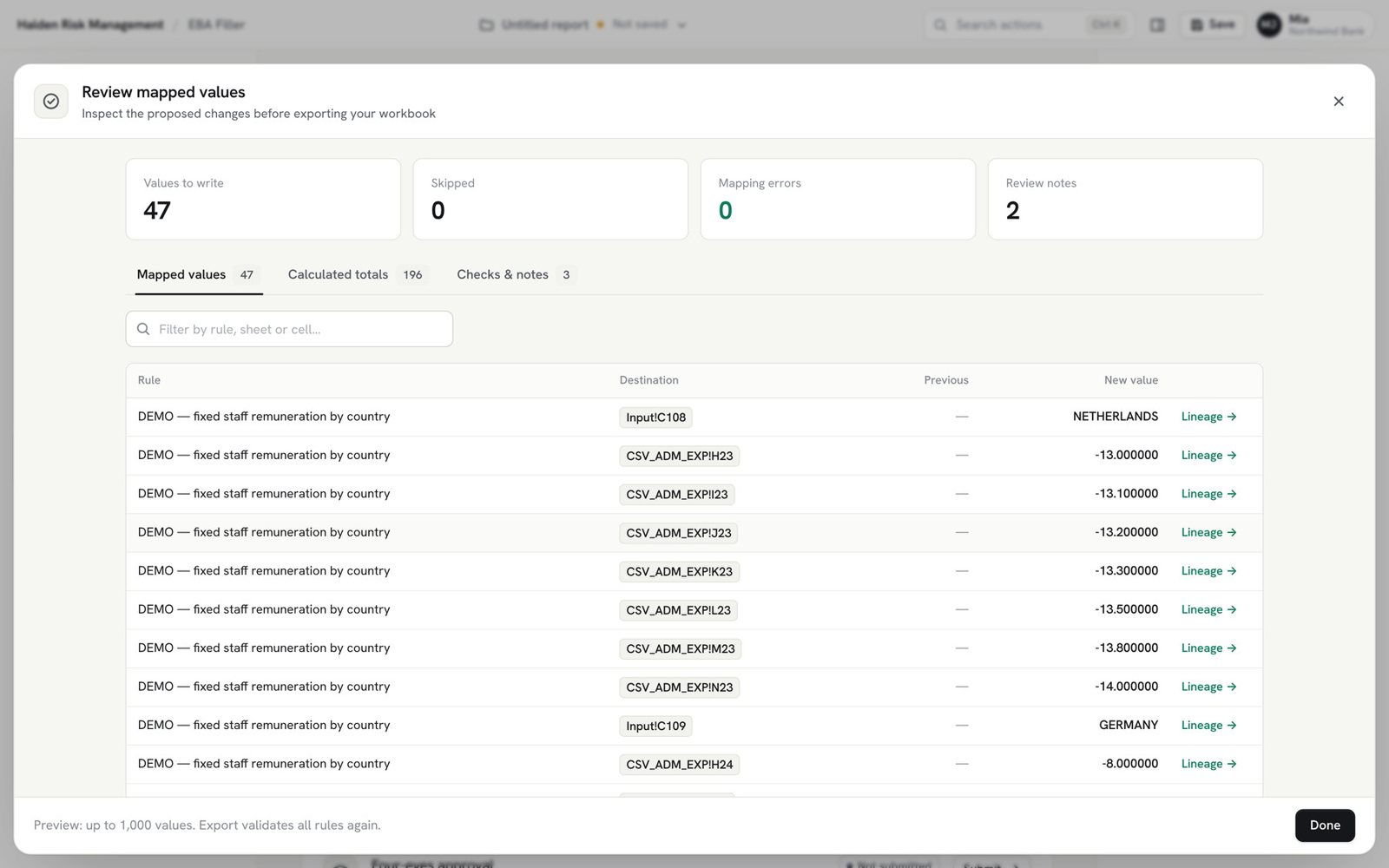
5. Approve the mapping version
In team mode, submit the exact mapping version to a checker. The organisation can require a second person’s approval before export. Changes create a different version that needs to be reviewed again; an approval is not a general permission to export any later mapping.
Local mode lets a single user prepare the workbook without an account or team server. In that mode, the bank’s own process supplies the independent review and sign-off. Do not present a local run as a completed team approval.
6. Export, recalculate and retain the evidence
Export writes a new Excel workbook and repeats the supported checks. The original source files and template remain unchanged. Preserve the mapping, input hashes, approval record and run evidence with the delivered workbook.
Open the workbook in Excel for recalculation and final reconciliation. The software’s export does not replace the bank’s applicability review, supporting explanations or submission procedure. Trace a written value to its source cells and mapping when a reviewer asks how it was produced.
Watch the five-minute EBA Filler tutorial, or the complete scenario-to-workbook run. For a purchase checklist and the distinction between workbook filling and XBRL filing, read Choosing an EBA/SSM filling tool.