The stress test template.
Filled, checked and approved.
Map the Excel and CSV files you already have to every tab of the EBA 2027 template. Each value is checked against the template's own rules, approved by a second person and traceable to its source.
tabs read and profiled from the template itself
reporting cells, each with its EBA row and column labels
of written values traced to source, rule and approval
template formulas, styles or validations changed
Set the rules up once. Every run after that is a review, not a rebuild.
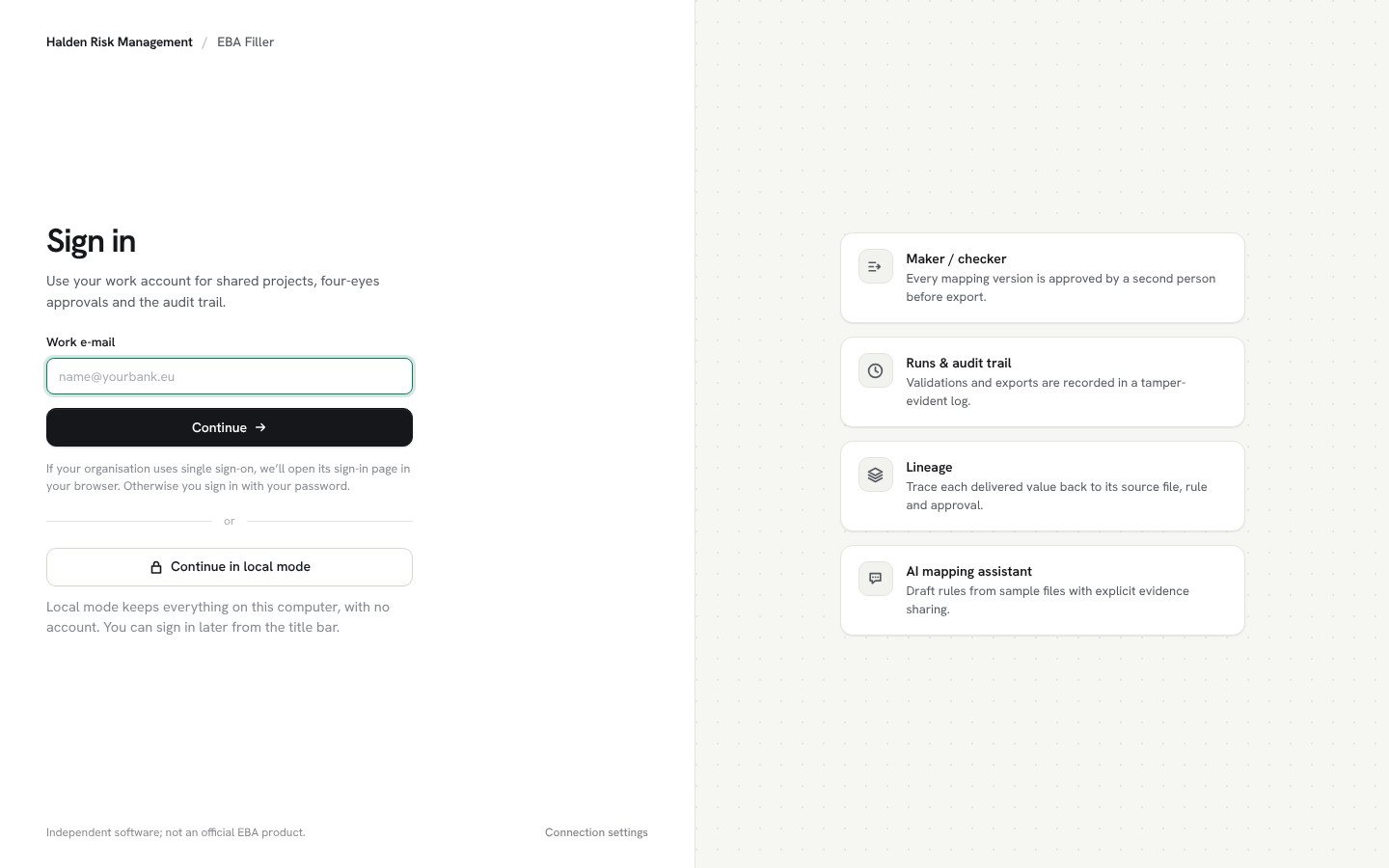
Your organisation's sign-in. Or none at all.
Users type their work e-mail; the app opens your identity provider in the browser, so MFA and conditional access apply as usual. Working alone? Local mode needs no account and no network.
- Single sign-on with Entra ID, Okta, Google Workspace or any OpenID Connect provider
- E-mail and password as a fallback
- Server address set centrally by IT
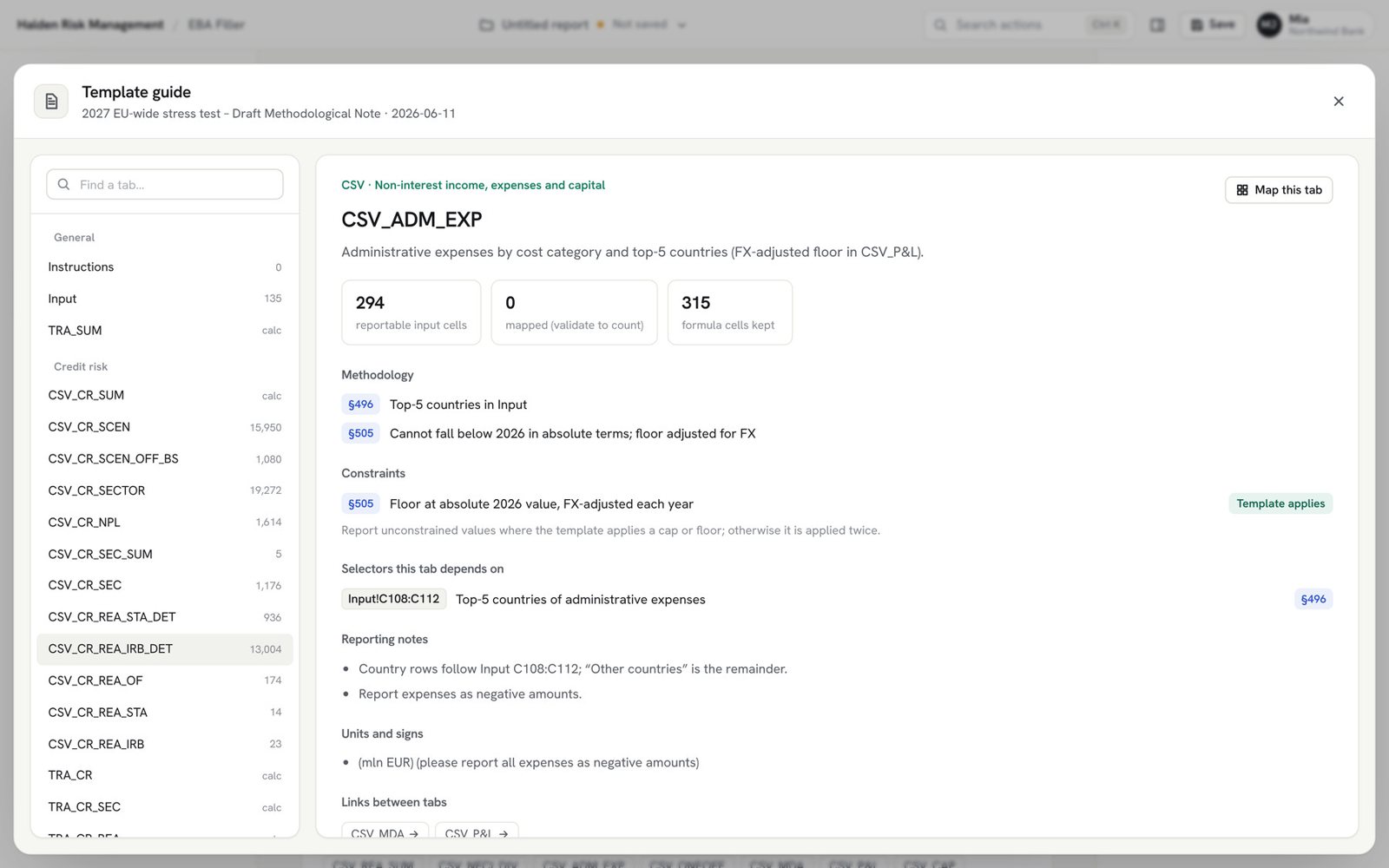
The template explains itself.
Select the original EBA workbook. It is recognised, never modified, and every tab comes with its methodology paragraphs, constraints and pitfalls in plain language.
- All 46 tabs profiled from the template's own identifiers, formulas and validations
- Constraints the template already applies are marked, so nothing is capped twice
- Blank-versus-zero cells and Input selectors flagged per tab
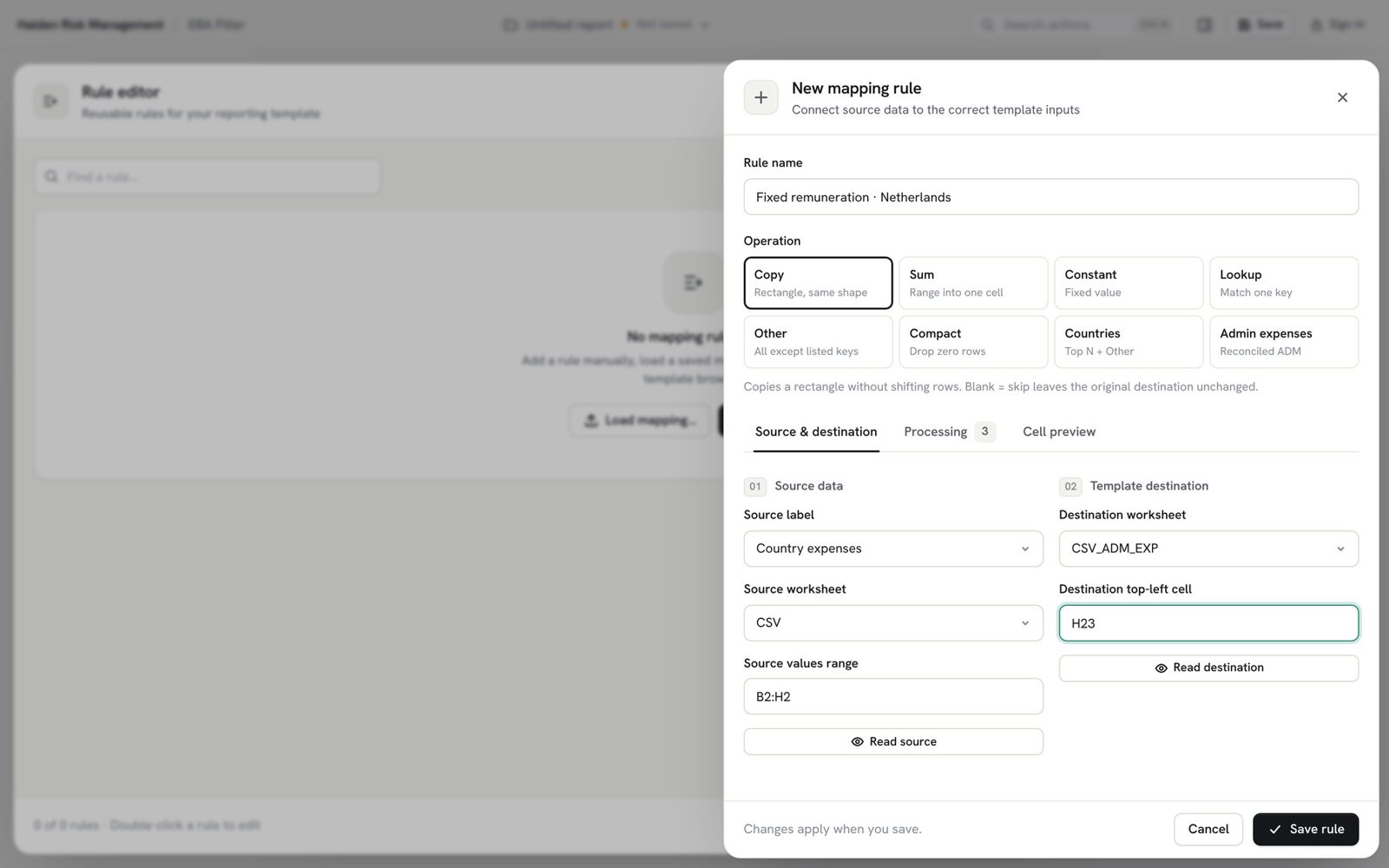
Map once. Reuse every cycle.
Rules say where a value comes from and where it goes. Create them by hand, by pointing and clicking, or with the optional AI assistant, and load last cycle's mapping next year.
- Eight operations, from copy and sum to top-N countries with an Other row
- Stable source labels, so next year's file simply attaches
- Units, signs and blanks are explicit choices, never guesses
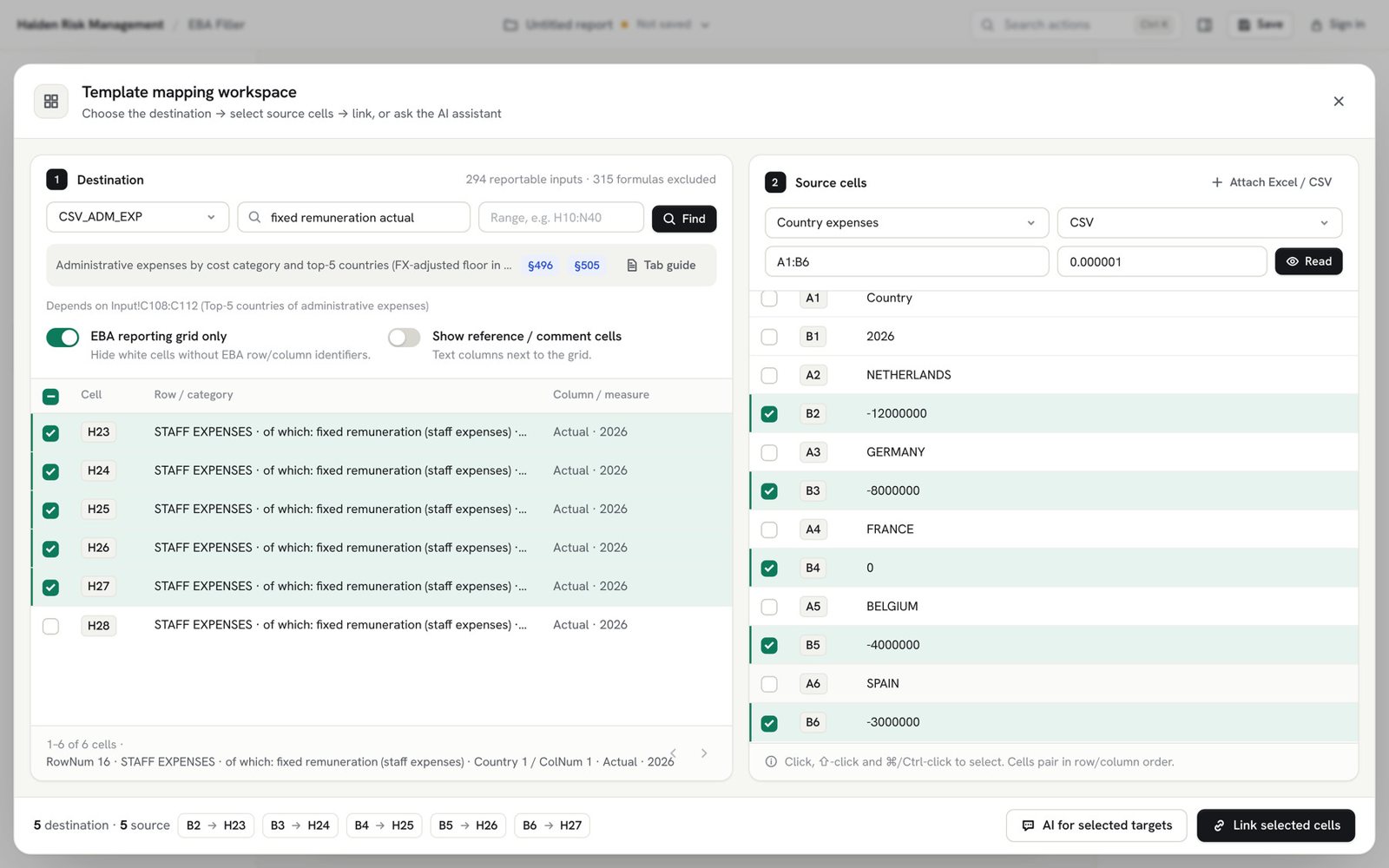
Link cells the way you would explain it.
Select the destination in the EBA reporting grid on the left and the matching source cells on the right. The rule is created for you, with business labels for every cell.
- Only real reporting cells are shown, with their EBA row and column labels
- Rules that do not fit the template are rejected straight away
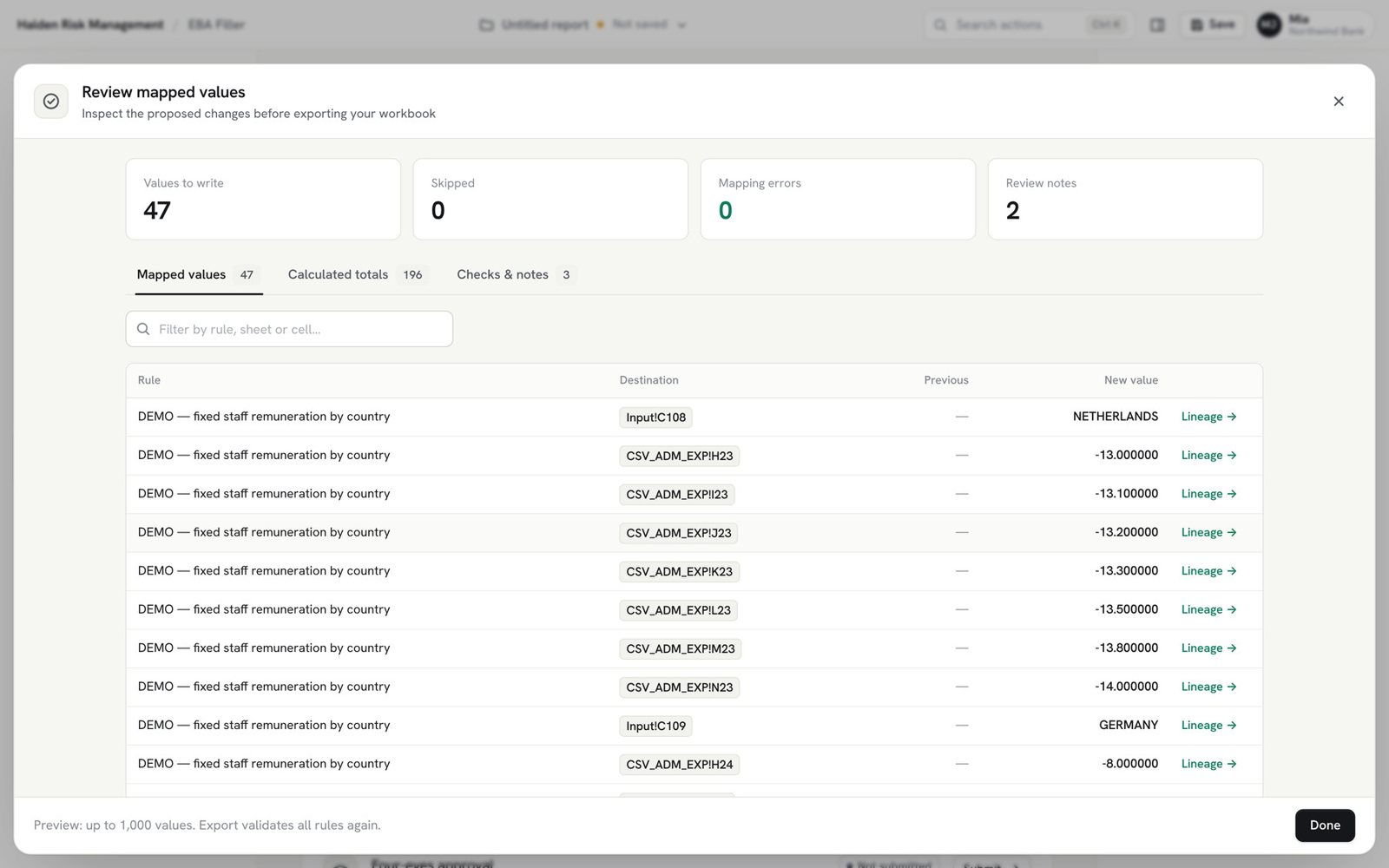
See every value before anything is written.
Every rule runs against the current files. Values, calculated totals and findings appear per tab, from the template's own rules, before a single cell is exported.
- Blocking issues stop the export: invalid dropdown values, writes to calculated tabs
- Review notes flag positive expenses, whole numbers in percentage cells, blank versus zero
- Incomplete totals are flagged, never assumed to be zero
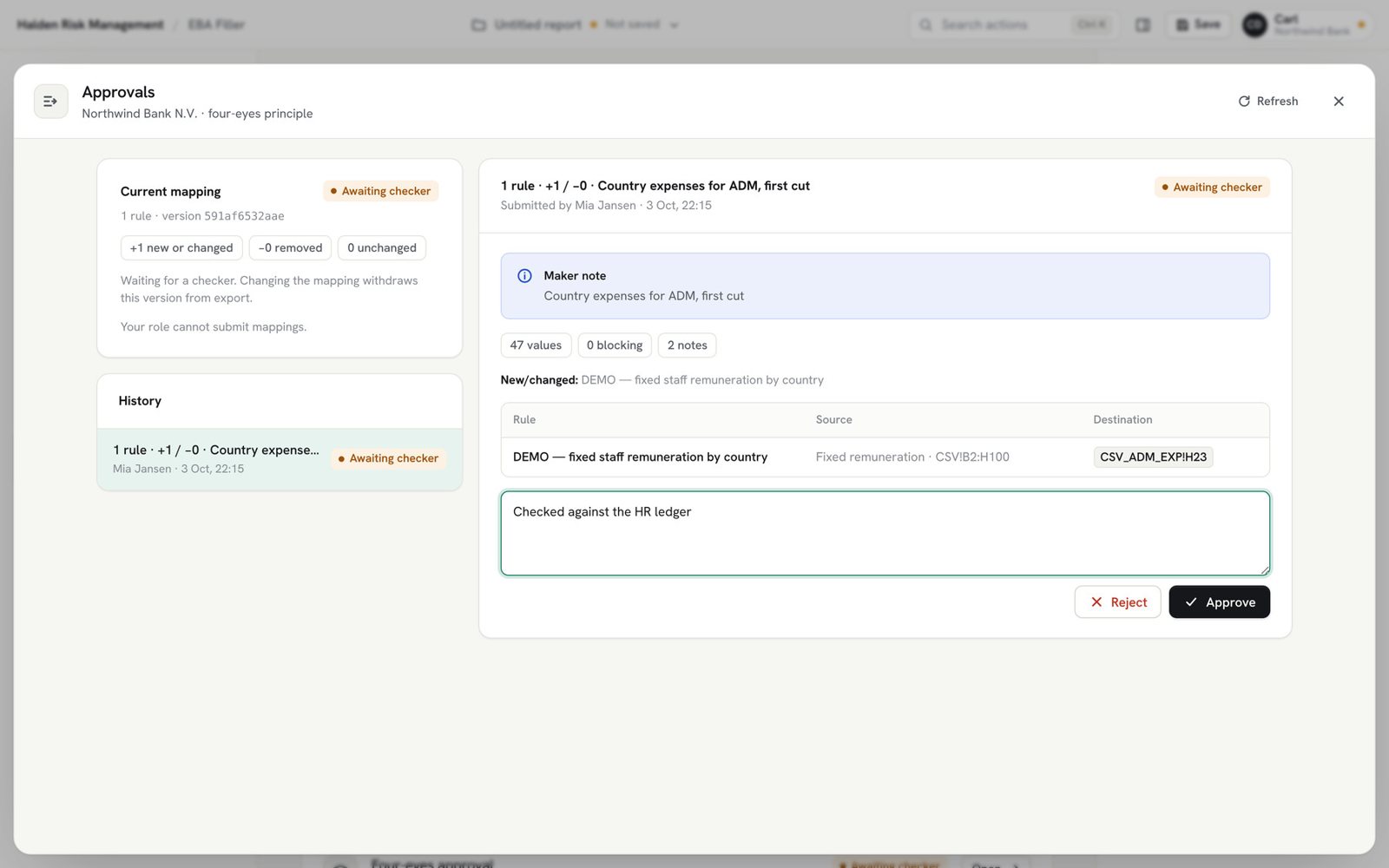
A second person approves the exact version.
The maker submits the mapping; a checker sees what changed and approves or rejects. The approval is bound to that version's hash: change one rule and it needs approval again.
- No one approves their own work
- Export is only possible for the approved version
- Submissions, decisions and runs go into a hash-chained audit log
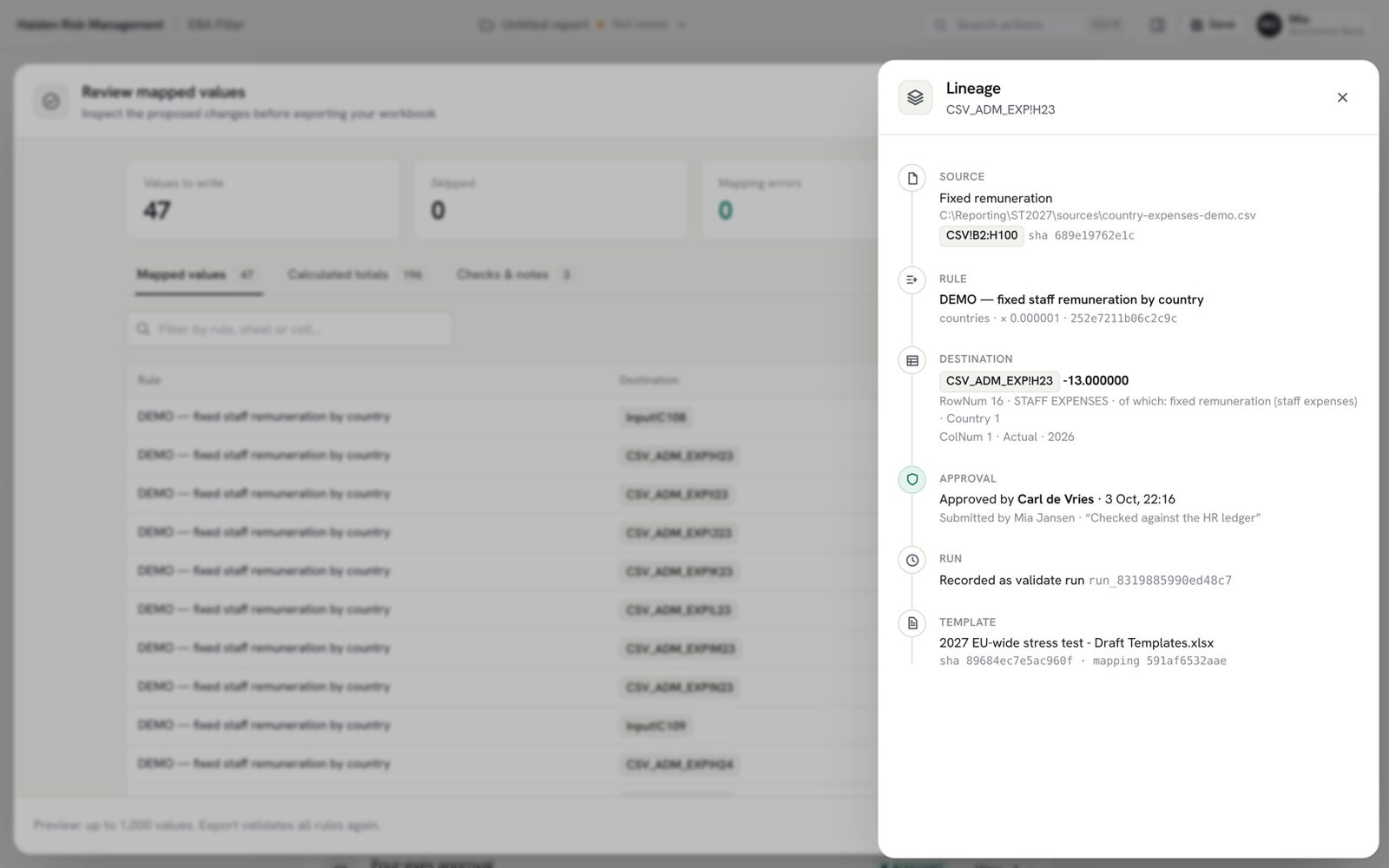
Every value traced in one click.
Lineage shows the full story of any cell: the source file and its hash, the rule, the template cell with its EBA labels, who approved it and in which run.
- Template, sources and output identified by SHA-256
- A new workbook every time; your template and sources stay untouched
- Audit file with every old and new value for your records
Every tab is checked against its own rules.
The app reads the template's identifiers, 26 data validations, 95,196 percentage cells and its formulas, and checks each value against them before export. Export runs every check again.
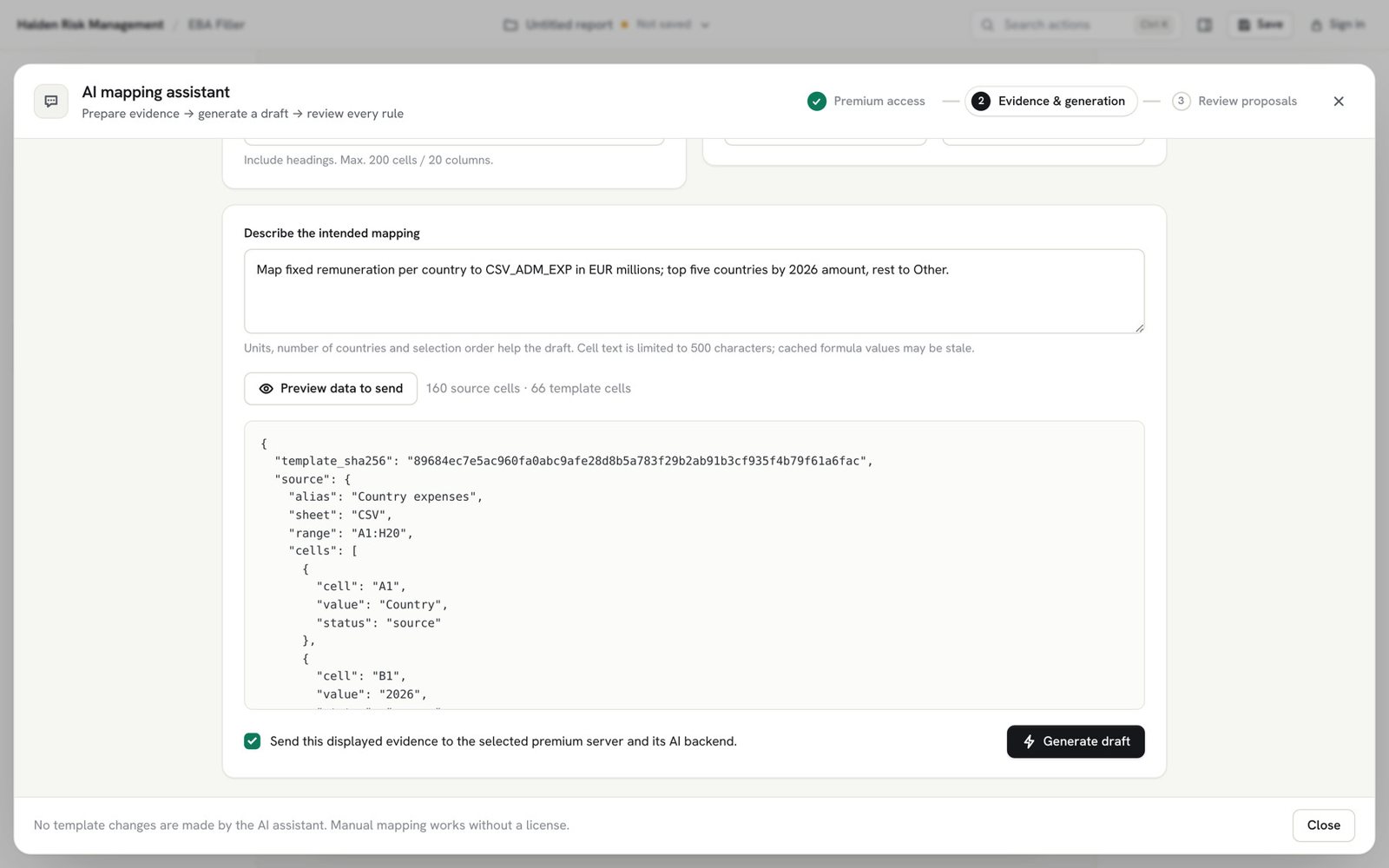
Read the methodology (PDF) ↓AI drafts rules.
It never touches the template.
At most 200 cells you select, shown as-is. Nothing is sent until you tick the consent box.
With their reasoning, the same technical checks as a manual rule, and four-eyes approval before export.
Run it on a model inside your network, or switch it off. Manual mapping never needs it.
A complete delivery in five minutes. Narrated, step by step.
Narrated, with English captions · 4:57 · New: Making rules, a 5-minute deep dive →
The figures stay on your systems. Choose where the team server runs.
One user, no account, no network. Everything stays on the computer.
A dedicated team server operated by us in the EU, for sign-in, approvals and the audit log.
Run the server yourself with Docker or systemd; air-gapped with a local AI model or none.
Do we need to restructure our data first?
No. Rules read the Excel and CSV files you already produce, in their own layout. Source labels keep rules working when file names change between cycles.
Does it change our template or our source files?
Never. Both are read only. Every export is a new workbook in which only the white input cells you mapped are written; formulas, styles and validations are carried over unchanged.
Where is our data processed?
On your users' computers. The optional team server stores accounts, approvals, run records and the audit log, never the figures. It runs in our EU cloud, your cloud or your own data centre.
Is the AI assistant required?
No. Every rule can be made by hand or by pointing and clicking. If you use the assistant, users preview exactly which cells (at most 200) are shared and nothing is sent without their consent; it can also run on a local model.
Does it implement the EBA validation rules?
Not yet. It checks each value against the template's own identifiers, dropdowns, formats and formula patterns, plus your rules. Formula results are calculated by Excel when you open the export.
What happens when the EBA publishes the final templates?
The tab profiles are rebuilt for the new template version. Your mappings load against it; moved cells are flagged, and the updated mapping is approved again as a new version.