Results you can sign off.
Every figure traced to its file.
Risk Reporting is the step after the models. It reads your scenario set and model runs, computes the credit losses and the CET1 walk, drafts the commentary from the figures and takes the report through four-eyes sign-off. Select any number to see the formula, the files and the people behind it.
kinds of input, recognised from the file itself: scenario set, model runs, portfolio, capital and last cycle’s report
commentary sections drafted from the figures, each one read and accepted by a person
people sign off: a reviewer who did not prepare it, then the named report owner
exports: the lineage package, every figure as CSV, a source grid for the EBA Filler and an A4 results pack
From model runs to a signed report. Five steps, each one on the record.
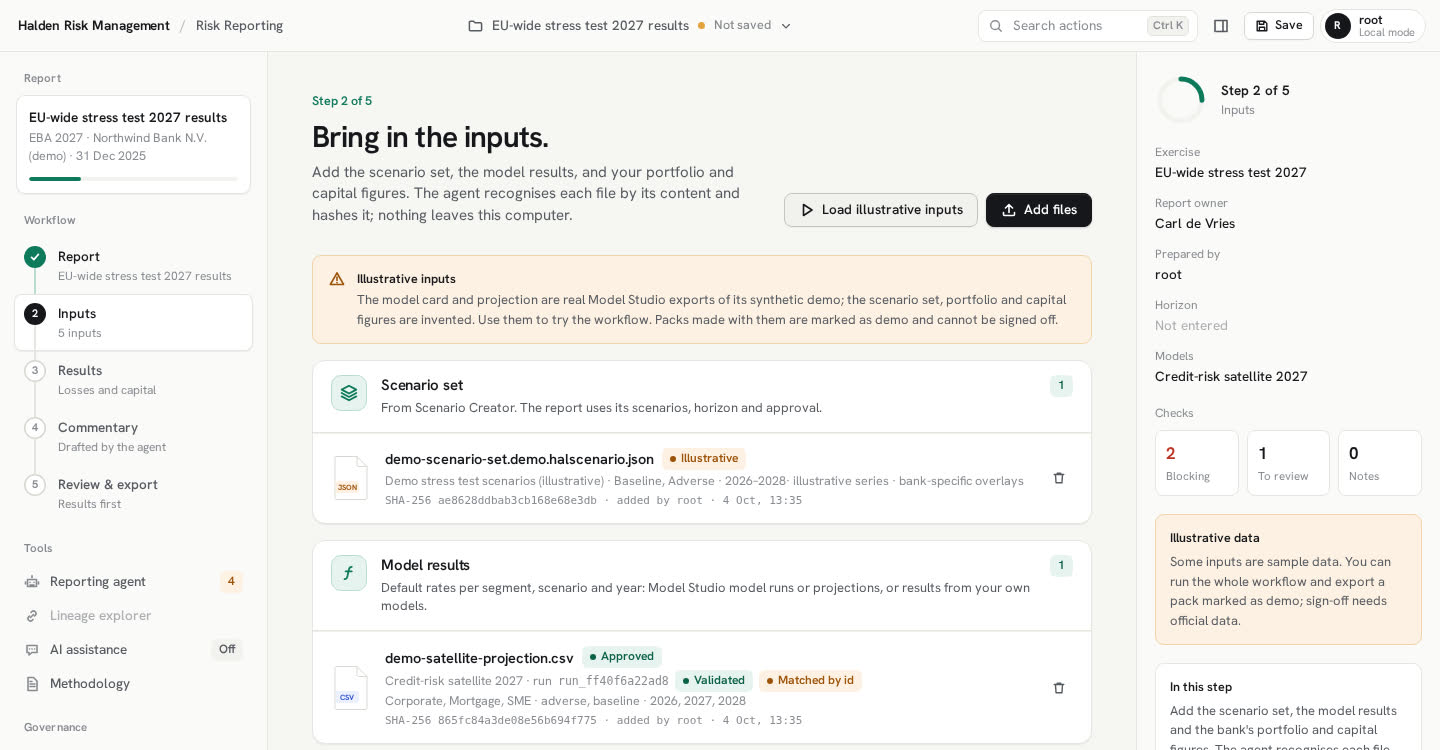
Drop in the files. They are checked first.
Add the scenario set from Scenario Creator, the model runs from Model Studio and your portfolio and capital figures. Each file is recognised from its content and hashed. The reporting agent proposes how segments and scenarios map to model results; exact matches are logged, the rest wait for you.
- Scenario sets and model runs are checked against their own content hash
- Results from models built elsewhere come in as a CSV, marked external
- Last cycle’s report can be added for comparison
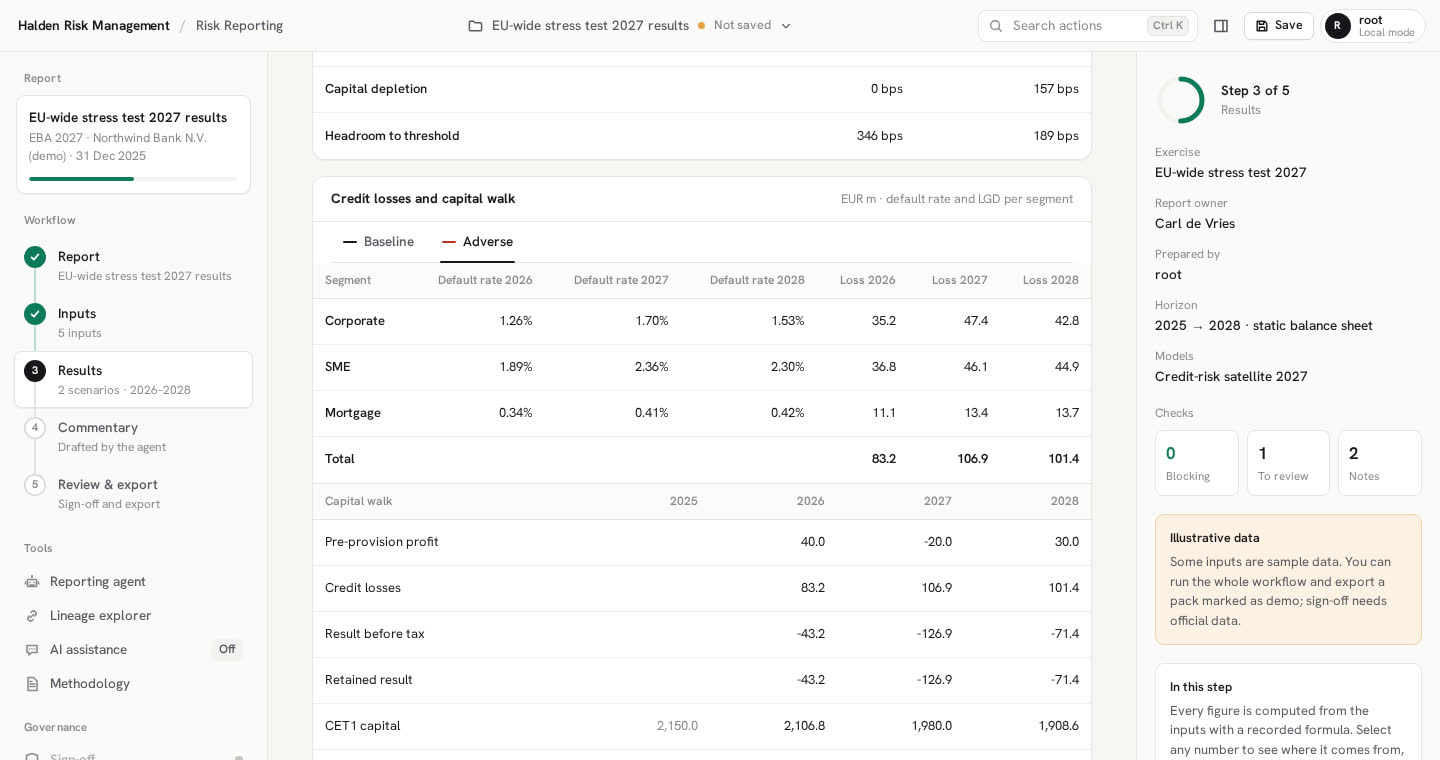
Losses and capital, by scenario and year.
Credit losses per segment, the CET1 walk, the depletion and the headroom to your threshold. The calculation is plain and documented: exposure times default rate times LGD on a static balance sheet, then pre-provision profit, tax and payout into CET1.
- Losses per segment, scenario and year, with the default rates used
- CET1 ratio path, lowest point, depletion in bps and headroom
- Results from models not yet independently validated are marked, not hidden
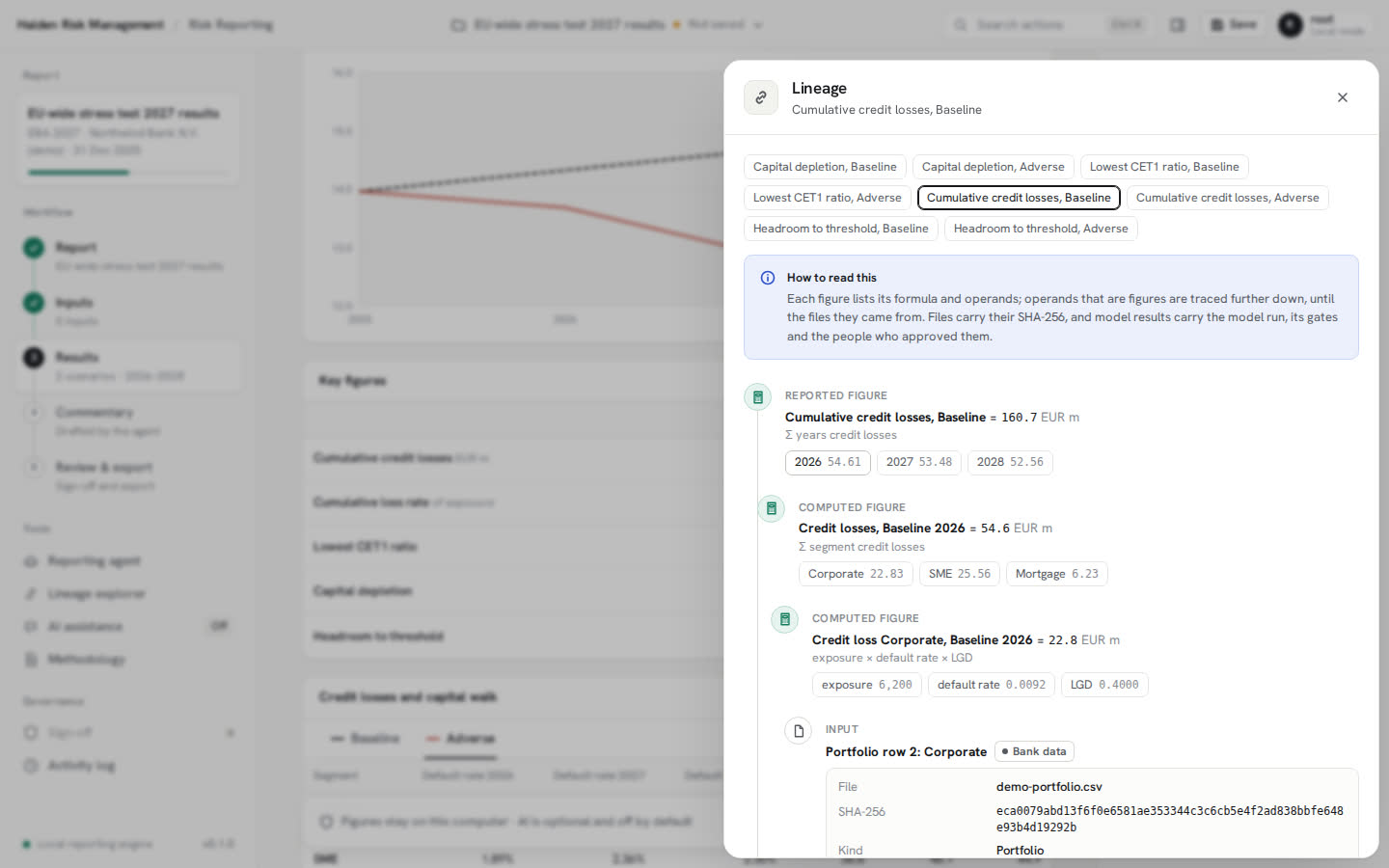
Select a number. See where it came from.
Every figure stores its formula and operands. Follow a cumulative loss down to the year, the segment, the default rate, the model run and its approvers, and the input file with its SHA-256. Scenario paths show the macro part and any bank-specific overlay separately.
- Formula and operands for every reported figure
- Model runs with their gates and the people who approved them
- Files with their name, hash and who added them
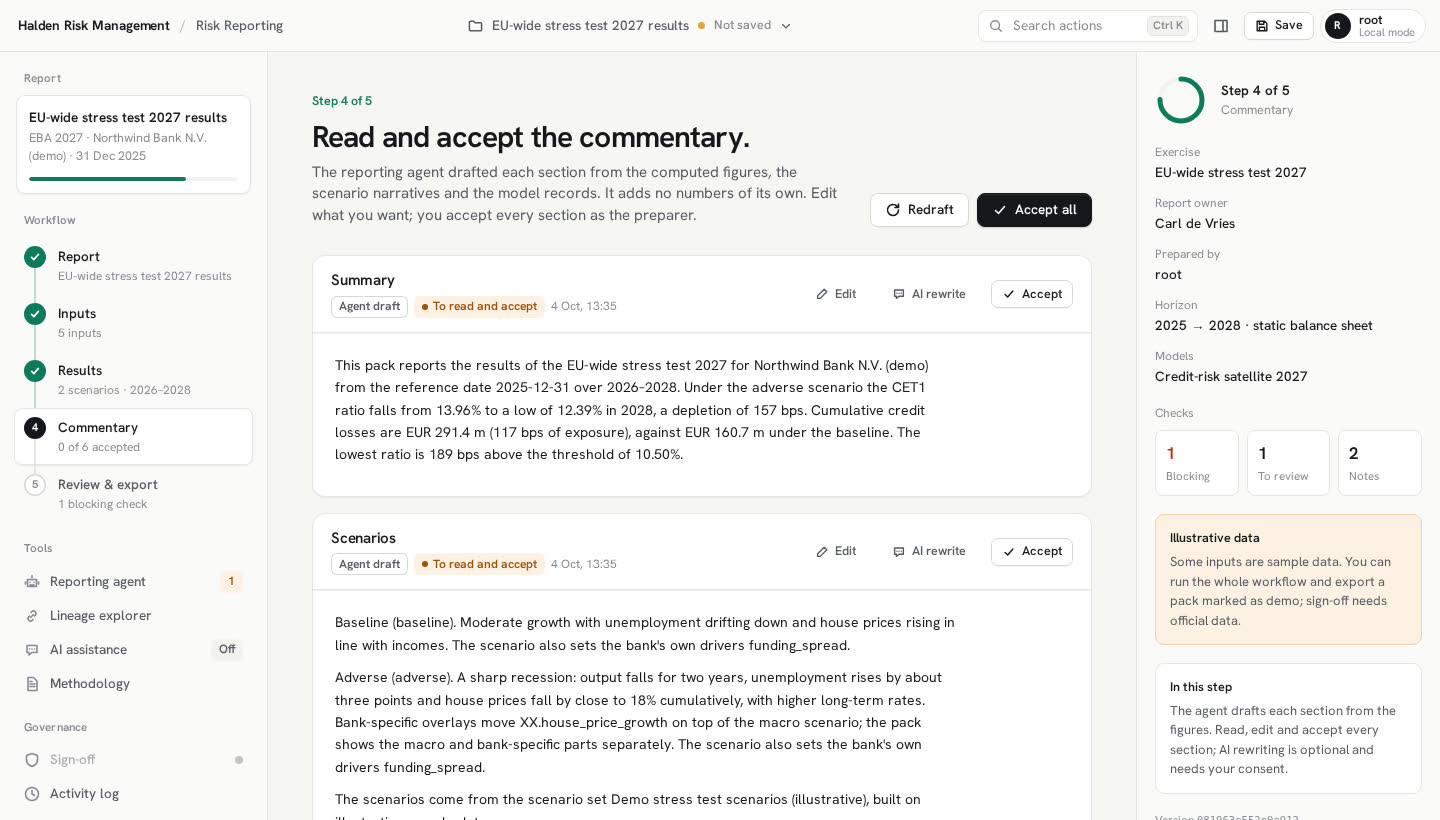
A first draft that adds no numbers of its own.
The agent drafts six sections from the figures, the scenario narratives and the model records. You edit and accept each one. If the figures change afterwards, the check list says so.
- Summary, scenarios, credit losses, capital impact, models and lineage, limitations
- Optional AI rewrite, shown in full before anything is sent
- A rewrite that brings in a number not in the figures is refused
Checked, signed off, exported.
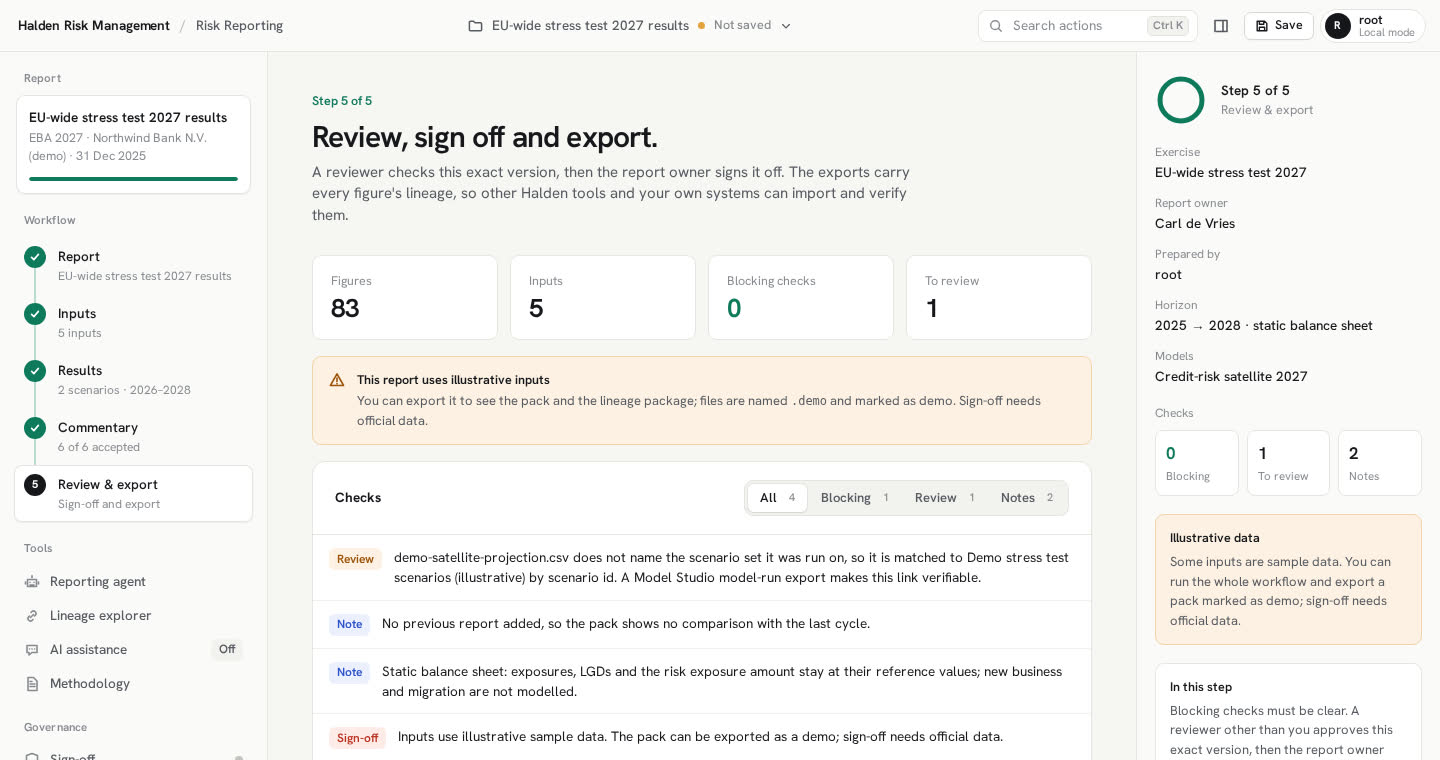
Checks flag what a reviewer would ask about. A reviewer who did not prepare the report approves the exact version, then the report owner signs it off. Any change after that makes a new version.
- Blocking, review and note findings, each with the reason
- Agents cannot approve; nobody decides on their own submission
- Lineage package, figures CSV, EBA source grid and a printable A4 pack
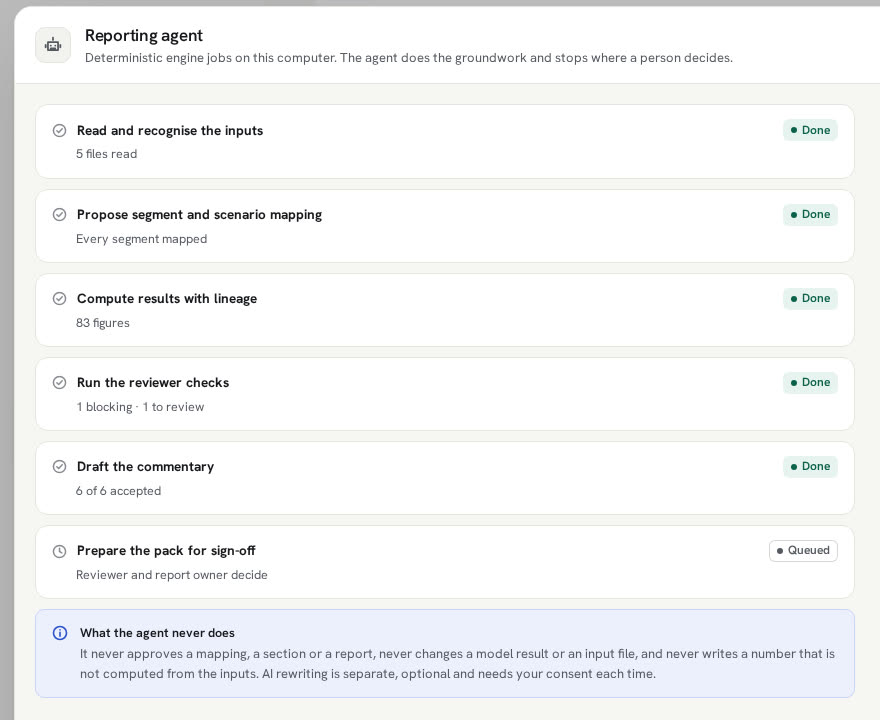
The agent prepares.
People sign.
Reading the inputs, proposing the mapping, computing the figures, running the checks and drafting the commentary are fixed engine jobs. The same inputs give the same report.
It never approves a mapping, a section or a report, never changes a model result or an input file, and never writes a number that was not computed from the inputs.
A rewrite sends the section text and the key figures, never portfolio rows, inputs or bank overlays. You see the payload first and nothing goes until you consent.
The last link in one chain. Each hand-off is a file with its hash on record at both ends.
Macro paths and bank-specific overlays, kept apart in the report.
Default rates bound to the data, the scenario set and the approvers.
Losses, capital and commentary, with lineage for every figure.
A source grid whose ranges never move, mapped once and reused every cycle.
Simple on purpose, and written down. The same text is in the app.
Credit losses
Exposure × default rate × LGD per segment, scenario and year. The default rate comes from the mapped model result; a scenario-specific LGD can replace the base one.
Capital walk
Pre-provision profit minus losses, less tax on a profit, less the payout on what remains, added to CET1. The risk exposure amount stays at its reference value.
Depletion and headroom
Depletion is the starting CET1 ratio minus the lowest ratio over the horizon, in bps. Headroom is the lowest ratio minus your threshold.
Checks
Changed hashes, unmapped segments, a model run on a different scenario set, unvalidated models and losses below baseline. They support the reviewer; they do not certify the report.
Version 0.1.0. Here is what that means.
- Today
- Credit risk on a static balance sheet, in annual steps
- Sign-off in local mode: names are typed by the person deciding and are not verified
- Illustrative inputs to try the whole workflow; exports made with them are marked as a demo and cannot be signed off
- Planned
- Sign-off through the Halden team server, with sign-in and roles
- Migration and new business
- Market and operational risk
Does it fill the EBA template?
Not directly. It exports a source grid with fixed ranges. You map it once in the EBA Filler, which then fills the template with its own checker-approved mapping and lineage.
Do our models have to come from Model Studio?
No. Results from models built elsewhere come in as a CSV and are marked as external. A Model Studio model run carries more: its gates, its approvers and the scenario set it ran on, verified by hash.
What happens with a model that is not yet validated?
Its results are used and marked: a badge in the app, a dagger in the pack and a status field in the export. The reviewer sees it in the checks.
Does any of our data leave the computer?
No. The engine runs locally. The only thing that can be sent is an optional AI rewrite of a commentary section, and you see that payload in full before you consent.