Every stress test starts with a scenario.
Build it from data you can show.
Scenario Creator builds the macro scenarios behind ICAAP, the EU-wide stress test, IFRS 9 forward-looking information and climate analysis. Start from official series, set a baseline, shock the drivers, and hand an approved, traceable scenario set to your models.
European areas with official macro series in the library that ships with the app
shock shapes, sized against each series’ own history
content hash per version, covering data, methods, shocks and narratives
portfolio or customer data needed. It works on macro series
Five steps from public data to an approved set. Each one recorded, each one explainable.
Public macro data, on your computer.
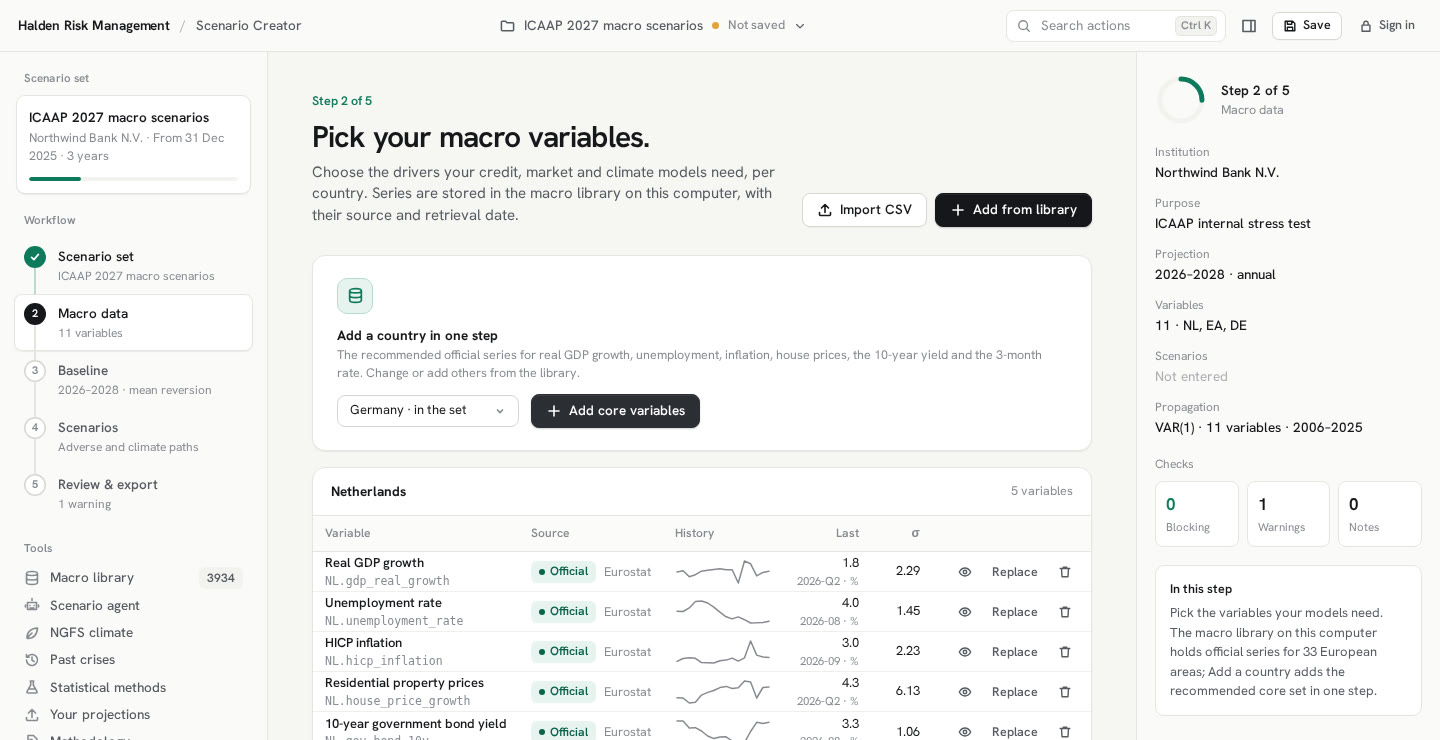
Pick variables per country from the Halden European macro library, which ships with the app: official series for 33 European areas from Eurostat, the ECB, national statistics offices and central banks, the OECD, the BIS and the IMF. Add a country’s core set in one step, refresh a series from its source, or bring your own CSV.
- Add a country: the recommended series for GDP, unemployment, inflation, house prices, the 10-year yield and the 3-month rate
- Every series stored with its source address, retrieval time and SHA-256
- Monthly and quarterly data averaged to complete calendar years
A baseline in one click.
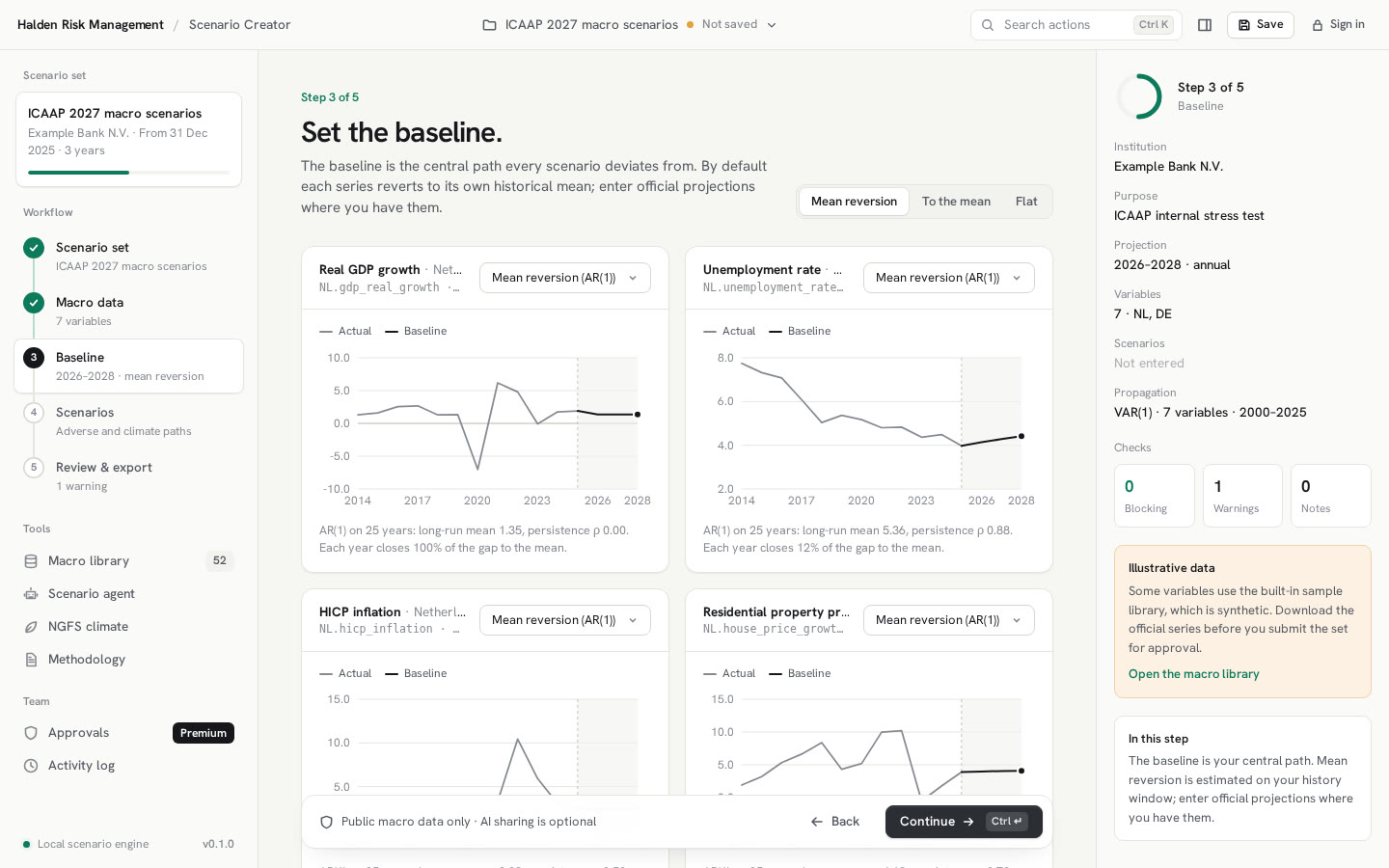
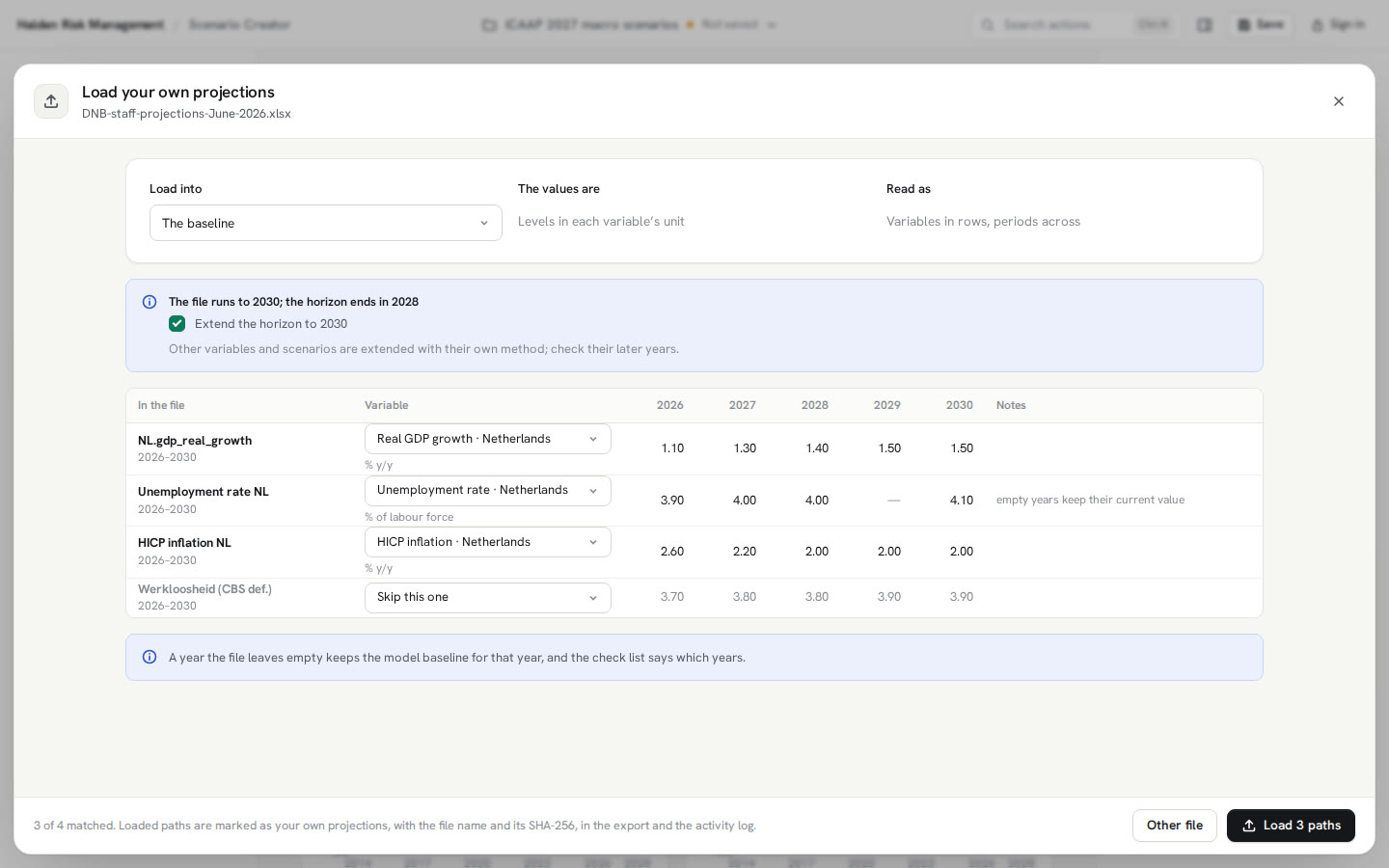
Each variable gets a central path. By default it reverts to its own historical mean, estimated on the history window you choose. You can also converge to the mean, hold the last value, or enter a path such as the Eurosystem staff projections.
- Mean reversion by AR(1), with its parameters shown
- History window and horizon set once for the whole set
- Charts with the actual history and the baseline per variable
Shock the drivers. The rest follows.
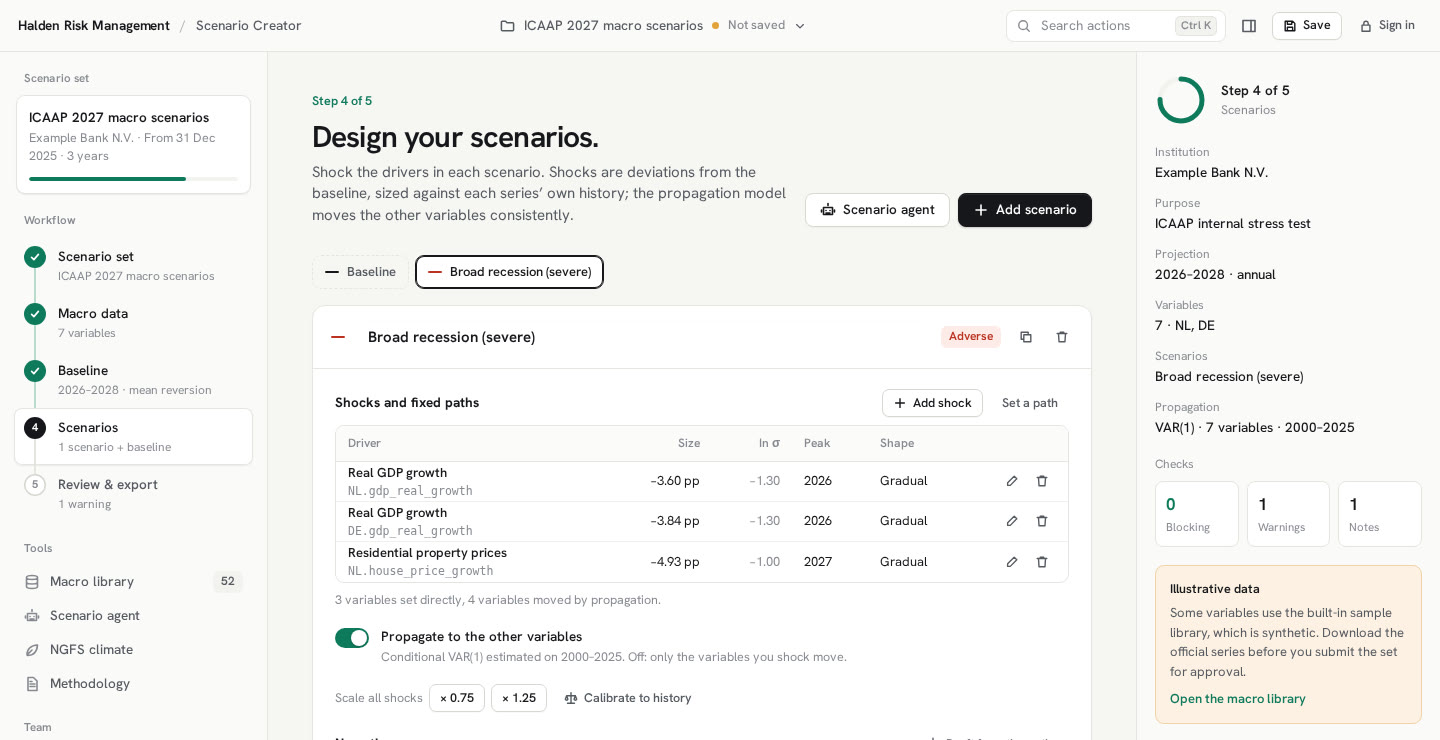
Start from a template, such as a broad recession, higher for longer, a housing correction or energy stagflation, or from a story of your own. Shocks are sized in each series’ historical standard deviation, so the same template fits every country.
- Peak year and shape: sharp, gradual, persistent, build-up or step
- A conditional VAR(1) moves the variables you did not shock
- Severity checked against the worst episode in your history window
Climate risk, built in.
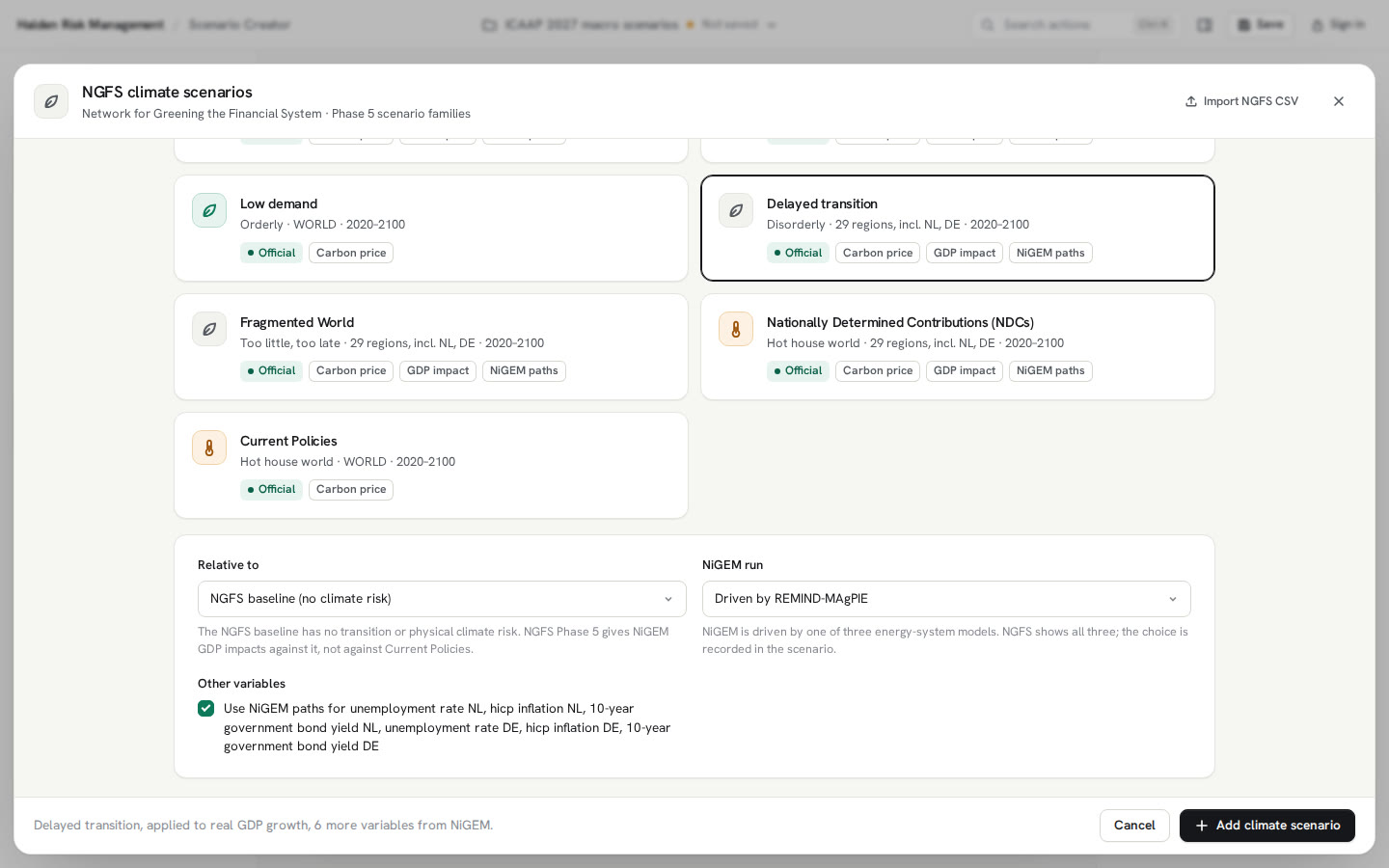
The NGFS Phase 5 paths come with the library. Pick a scenario and its GDP impact becomes a growth deviation for the matching country; unemployment, inflation and rates can take the NiGEM paths of the same scenario, and the carbon price becomes a fixed path. The propagation model moves the rest.
- Measured against the NGFS baseline by default, because Phase 5 publishes its GDP impacts against it
- Choose which energy-system model drives NiGEM; the choice is recorded
- Import a Scenario Explorer CSV for anything the library does not hold
Checked, approved and traced.
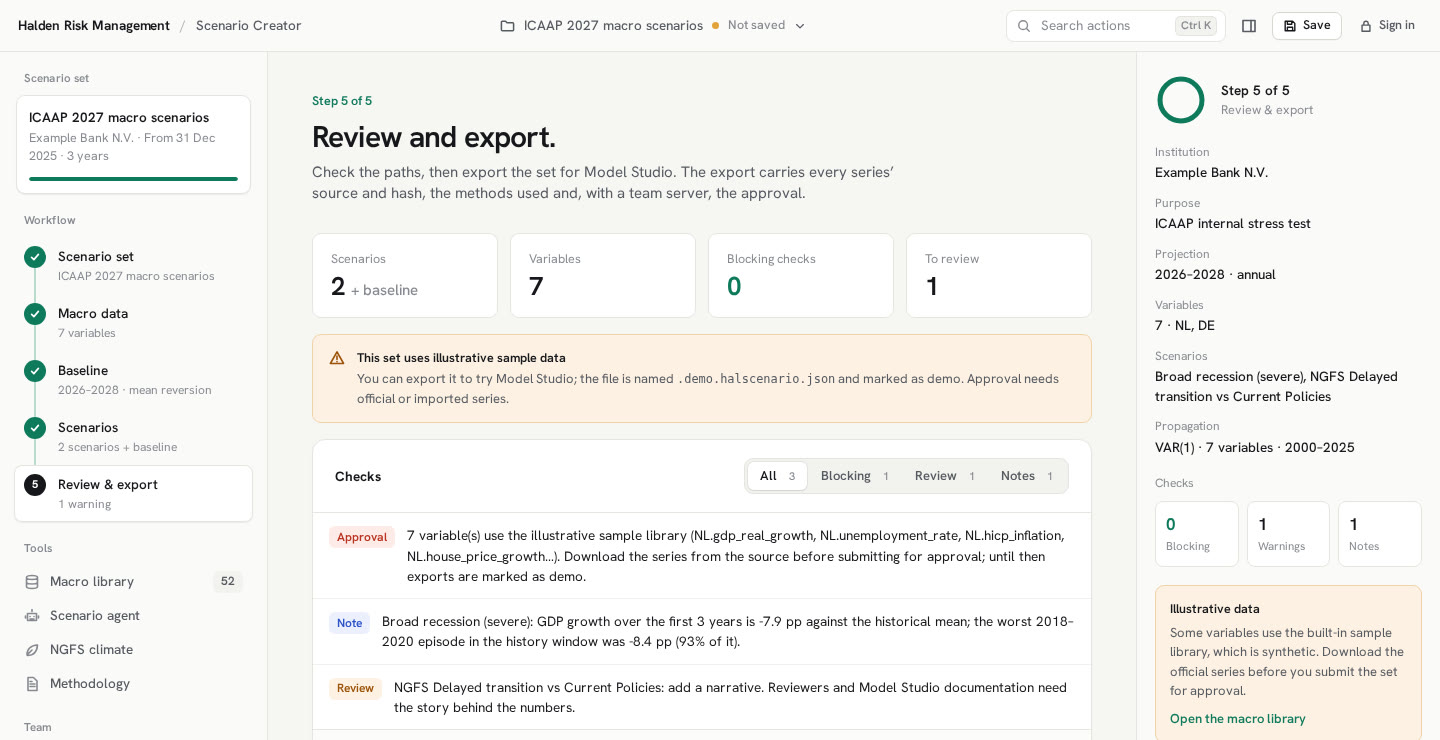
Checks flag what a reviewer would ask about: missing data, an adverse scenario milder than the baseline, GDP falling while unemployment does not rise. A checker who is not the maker approves the exact version, and the set exports for Model Studio.
- Blocking, review and info findings with the reason
- Four-eyes approval bound to the content hash, with a team server
- Export as a scenario-set file plus a long CSV
More ways to build a scenario. All of them on your computer, all of them on the record.
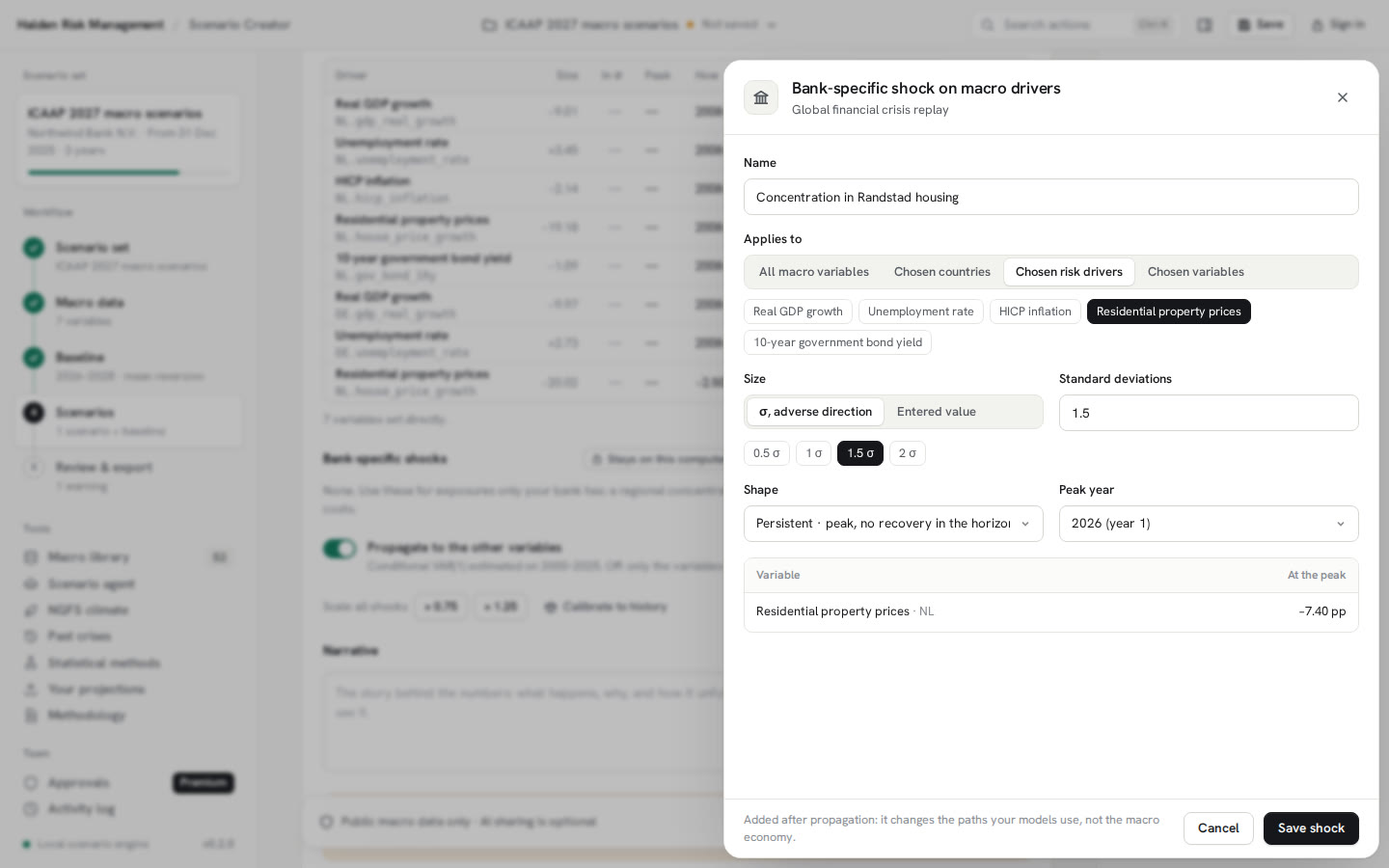
Eleven shock shapes, from a hump to a double dip or a damped cycle. Sizes set from history by rule: a multiple of σ, a historical percentile, the worst move or a target level. Formula shocks for anything a shape cannot say, and linked shocks that follow another variable with an elasticity and a lag.
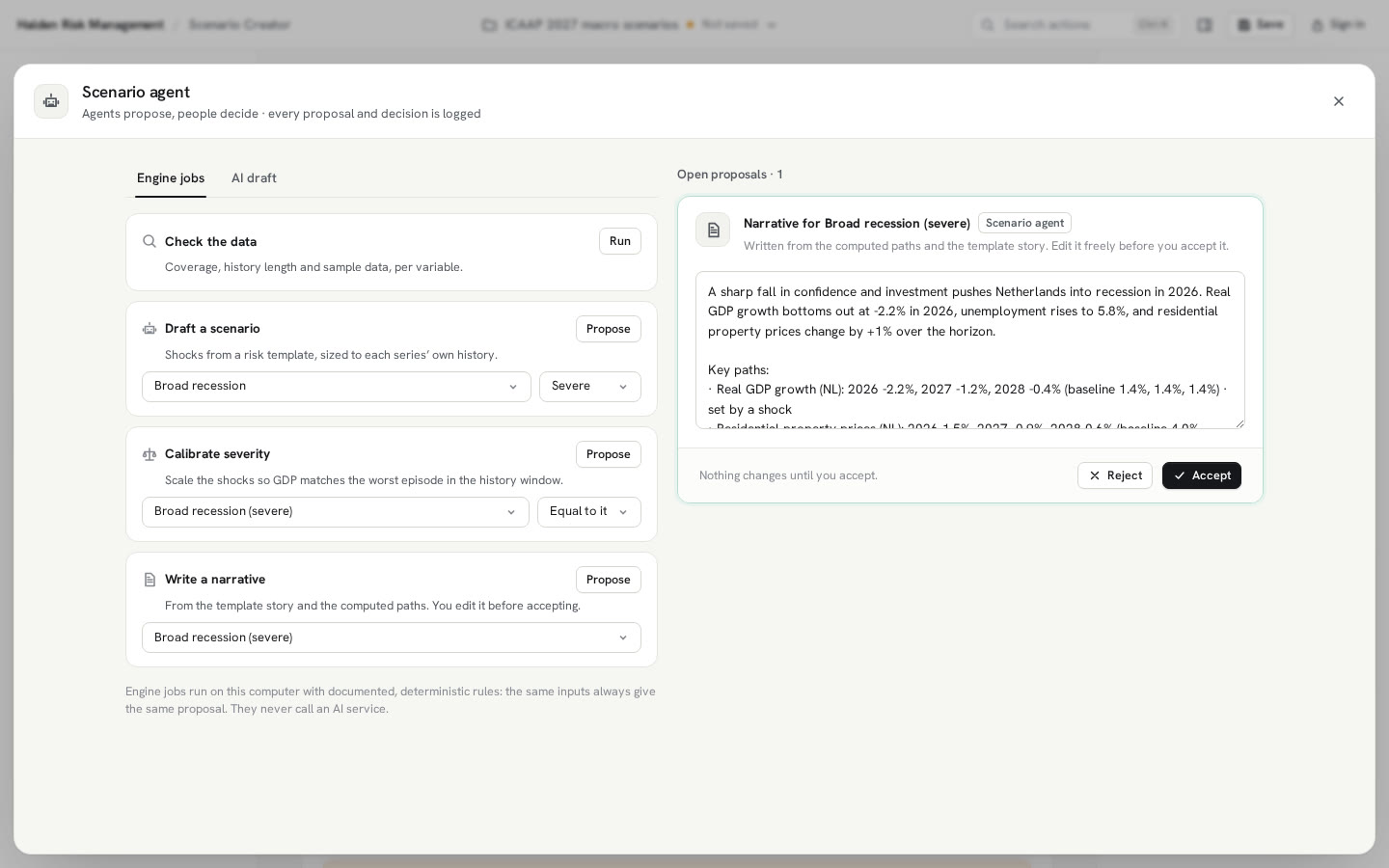
The agent drafts.
You decide what stays.
A coverage scan, template drafts, severity calibration and narratives run as fixed rules on your computer. The same input gives the same proposal.
Optional. You see the exact data first: variable names, units, recent values, the baseline and your request. No portfolio data and no institution name. Nothing is sent until you tick consent.
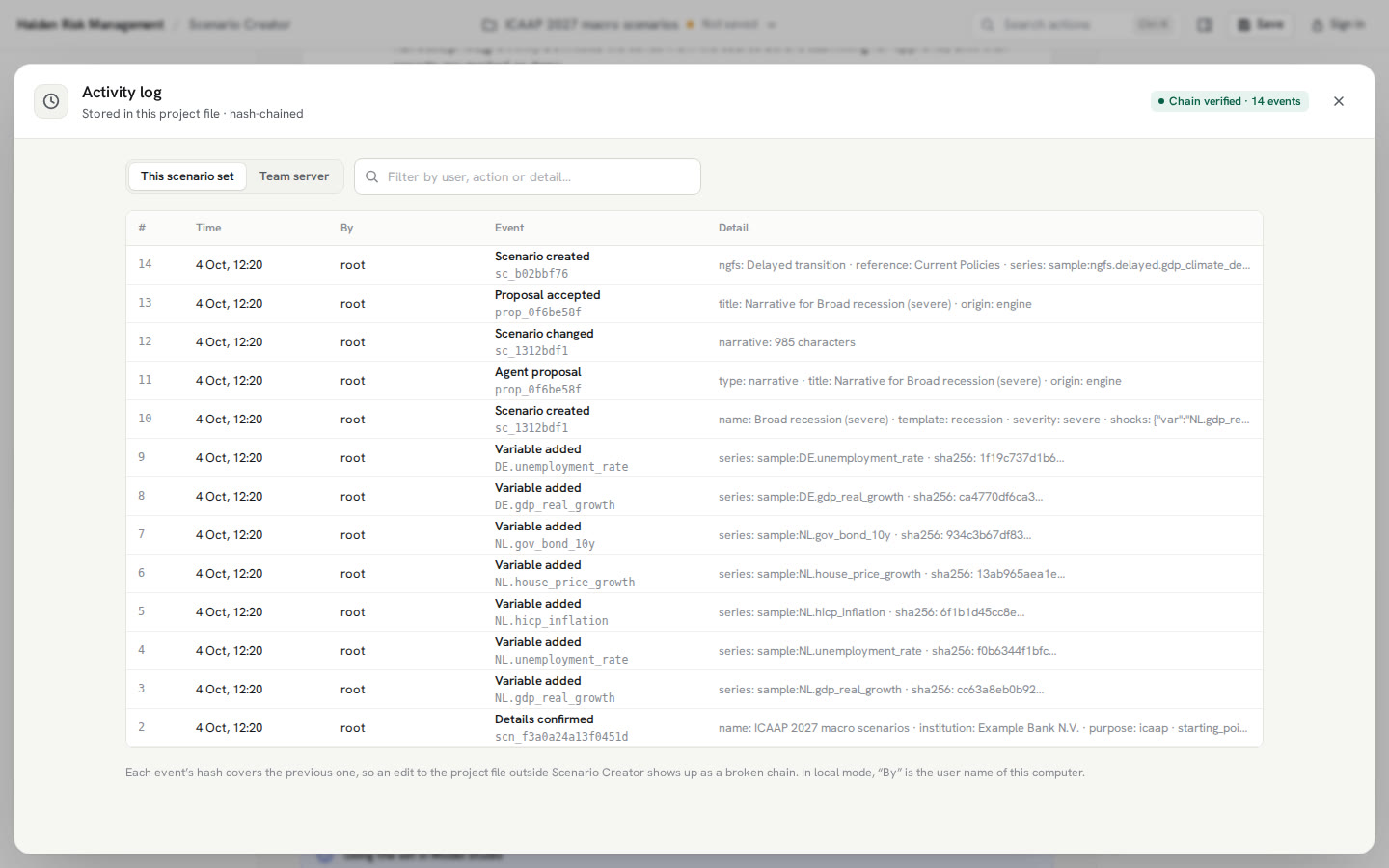
A named person accepts or rejects each proposal, and both are logged. AI answers are checked: known variables only, at most 4σ, peaks inside the horizon.
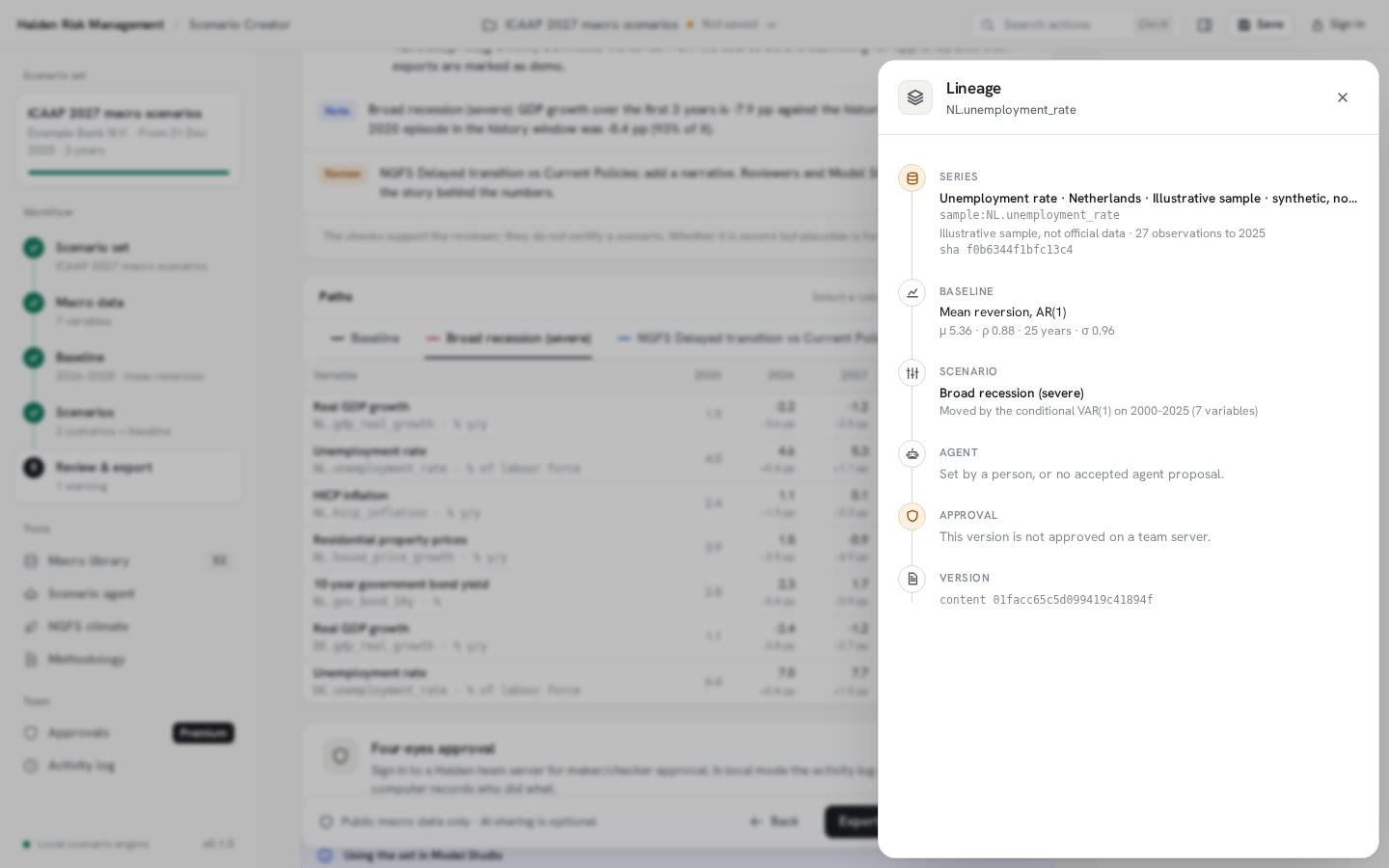
Ask where any path came from. Series, method, agent, approver and version, in one panel.
Documented approximations, stated plainly. The same text is in the app.
Baseline
An AR(1) estimated by least squares on the history window, with the persistence limited to 0 to 0.95 and the mean kept within the observed range.
Shocks
Deviations from the baseline, sized in each series’ historical σ. Mild, moderate and severe scale a template by 0.5, 0.75 and 1.0.
Propagation
A VAR(1) on standardised annual data with ridge shrinkage. Shocked variables are imposed; the others take their conditional expectation.
Severity
The first three years of GDP growth compared with the worst three-year episode in the window. The checks support a reviewer; they do not certify a scenario.
Version 0.2.0. Here is what that means.
- Today
- Annual paths, over a horizon of 1 to 30 years
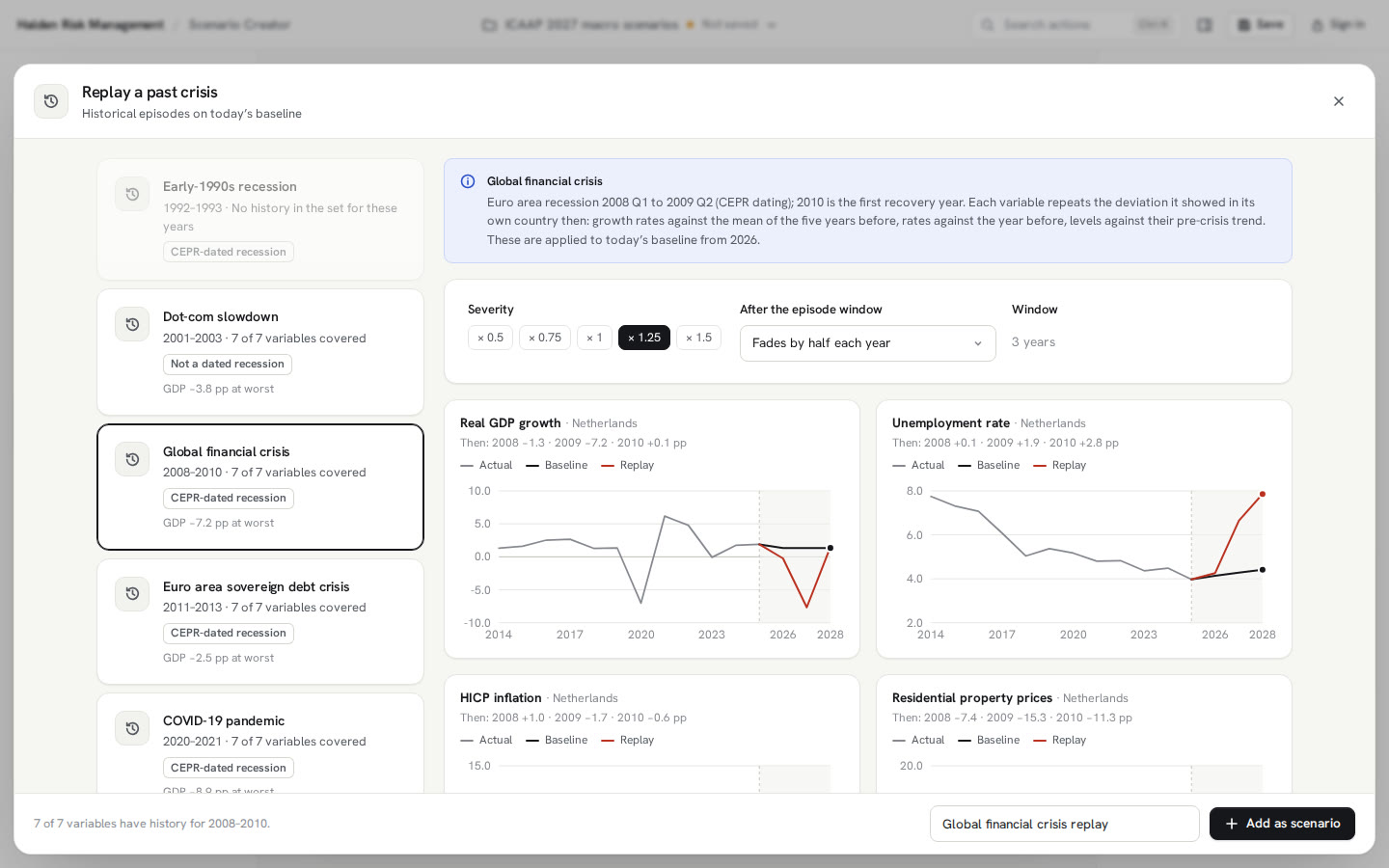
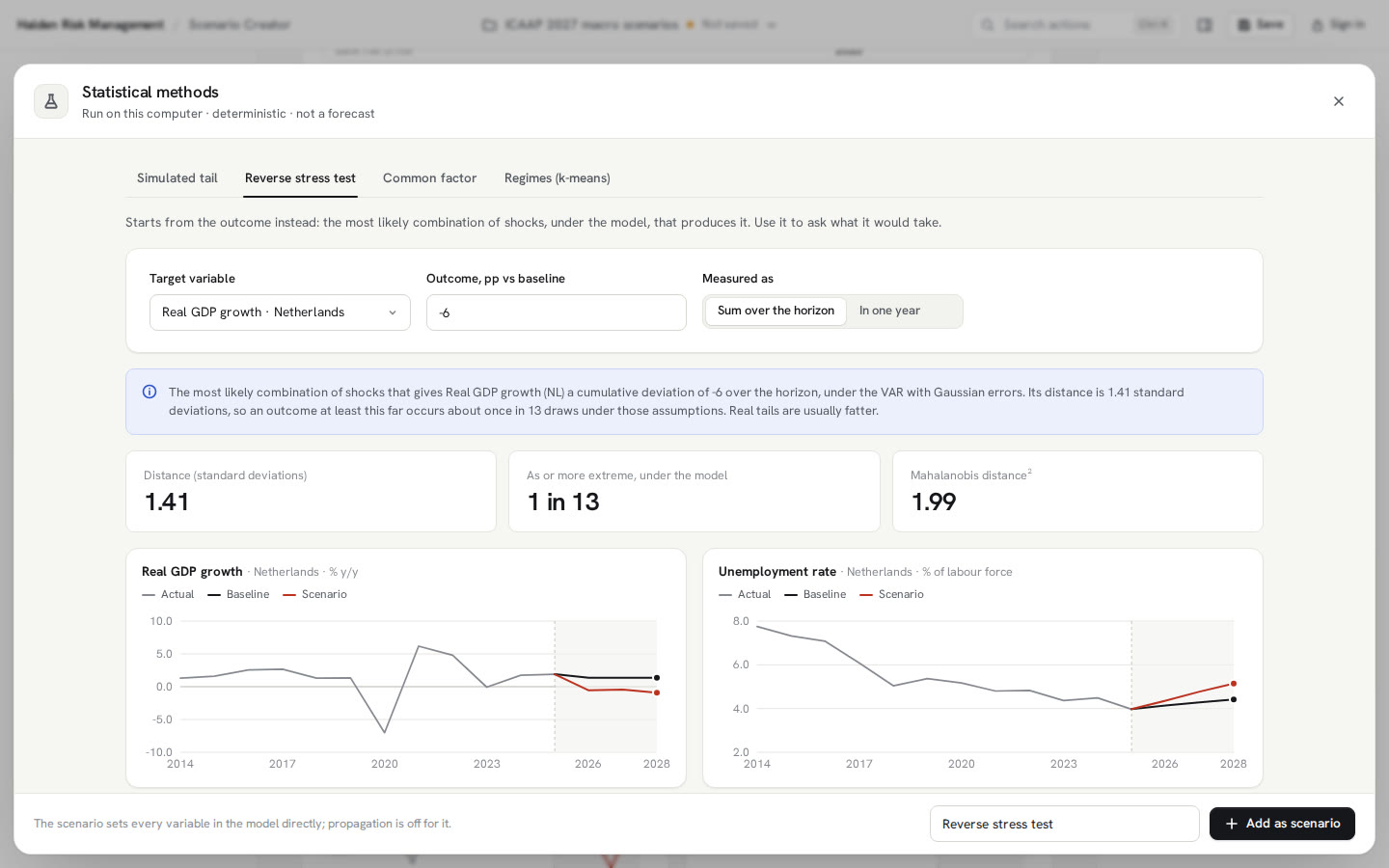
- Templates, past crises, NGFS climate scenarios, statistical methods and your own paths
- Local mode, or four-eyes approval with the Halden team server
- The Halden European macro library: official series for 33 areas and the NGFS Phase 5 paths
- Planned
- Quarterly paths
- Downloads go from your computer straight to each source, so your network needs to allow those sites. If it does not, import the file instead.
Does it need our portfolio data?
No. Scenario Creator works on macro series only. Portfolio effects come later, in the models that use the scenario set, such as satellite models in Model Studio.
Can we use the supervisory scenario or our own projections?
Yes. Enter any path for a variable as a fixed condition for the years you set, or use it as the baseline. The other variables follow through the propagation model, or stay on their baseline if you switch it off.
Does it tell us a scenario is severe but plausible?
No. It shows how severe a scenario is against your own history and flags what looks inconsistent. The judgement stays with your reviewers, and the approval records who made it.
How does a scenario set reach our models?
Export it as a scenario-set file and a long CSV. Model Studio checks the content hash and the approval status on import, and shows whether any path uses illustrative data.